 Log in

Ryan welcomes Suneet Malhotra, Senior Manager of Test Engineering at Motorola Solutions, to chat about building end-to-end agentic SDLC pipelines using MCPs, using Cohen’s kappa to evaluate multiple LLMs-as-judges, and how you can improve requirements by shifting QA left through a specification enrichment stage immediately after the design phase.

|
Sr. Content Developer at Microsoft, working remotely in PA, TechBash conference organizer, former Microsoft MVP, Husband, Dad and Geek.
|

Pennsylvania, USA


The following is a list of Active Directory Domain Services modules on Microsoft Learn sorted from introductory to advanced. Is there an Active Directory topic that isn't listed here that you'd like to see covered? (AD CS modules are coming)
Introductory
1. Introduction to AD DS
URL: https://learn.microsoft.com/en-us/training/modules/introduction-to-ad-ds/
Assessment: BEGINNER
This module establishes the essential AD DS vocabulary and mental model. It introduces directory services, users, groups, computers, forests, domains, sites, domain controllers, and organizational units, then shows how directory objects and their properties are managed. It should come first because nearly every later module assumes familiarity with these structures and their relationships.
2. Manage users and groups
URL: https://learn.microsoft.com/en-us/training/modules/manage-users-groups/
Assessment: BEGINNER
This module provides an accessible first look at identity administration by comparing AD DS with Microsoft Entra ID, explaining security and distribution groups, tracing the domain sign-in and authentication process, and introducing user and group management. It follows the general AD DS overview so learners can connect everyday identity tasks to the directory structures introduced in the first module.
Intermediate
3. Create and manage Active Directory objects
URL: https://learn.microsoft.com/en-us/training/modules/create-manage-active-directory-objects/
Assessment: INTERMEDIATE
This module turns the foundational concepts into routine administrative skills. It covers users, groups, computers, organizational units, object properties, object creation and configuration, bulk user-account management, and basic domain controller maintenance. The module is the natural bridge from understanding AD DS to operating it.
4. Manage Active Directory Domain Services using PowerShell cmdlets
URL: https://learn.microsoft.com/en-us/training/modules/manage-active-directory-domain-services-use-powershell-cmdlets/
Assessment: INTERMEDIATE
This module applies PowerShell to the object-management tasks learned previously. It introduces cmdlets for creating and maintaining users, groups, group memberships, computers, organizational units, and other directory objects, giving learners a repeatable and scalable alternative to graphical administration. Prior PowerShell familiarity is expected.
5. Deploy and manage Active Directory Domain Services domain controllers
URL: https://learn.microsoft.com/en-us/training/modules/deploy-manage-active-directory-domain-services-domain-controllers/
Assessment: INTERMEDIATE
This module moves from directory objects to the servers that host the directory. It reviews forests and domains, explains domain controller topology, covers domain controller deployment and movement between sites, and introduces operations master roles. It provides the deployment context needed before studying domain controller maintenance and role placement in greater depth.
6. Manage AD DS domain controllers and FSMO roles
URL: https://learn.microsoft.com/en-us/training/modules/manage-active-directory-domain-services-flexible-single-master-operation-roles/
Assessment: INTERMEDIATE
This module deepens domain controller administration through deployment, maintenance, backup and recovery considerations, global catalog placement, Flexible Single Master Operations (FSMO) role placement and management, and an introduction to schema management. It builds on the preceding deployment module and prepares learners for later architecture, recovery, and design topics.
7. Implement Group Policy Objects
URL: https://learn.microsoft.com/en-us/training/modules/implement-group-policy-objects/
Assessment: INTERMEDIATE
This module introduces domain-based Group Policy Objects (GPOs), including scope, inheritance, creation, configuration, storage, administrative templates, and the Central Store. It should precede the other Group Policy modules because it explains both the logical processing model and the underlying storage components on which later policy and troubleshooting work depends.
8. Create and configure Group Policy Objects in Active Directory
URL: https://learn.microsoft.com/en-us/training/modules/create-configure-group-policy-objects-active-directory/
Assessment: INTERMEDIATE
This module reinforces GPO definition, scope, inheritance, and domain-based configuration, then extends those skills into domain password policy and fine-grained password policy. Although some content overlaps the preceding module, its identity-policy focus makes it a useful second step after learners understand GPO storage, templates, and general processing.
9. Manage security in Active Directory
URL: https://learn.microsoft.com/en-us/training/modules/manage-security-active-directory/
Assessment: INTERMEDIATE
This module addresses practical directory hardening through user rights, access restrictions, delegated permissions, the Protected Users group, Windows Defender Credential Guard, NTLM blocking, and identification of problematic accounts. It connects identity administration and Group Policy knowledge to least-privilege operations and modern credential protection.
10. Implement and manage Active Directory Certificate Services
URL: https://learn.microsoft.com/en-us/training/modules/implement-manage-active-directory-certificate-services/
Assessment: INTERMEDIATE
This module introduces public key infrastructure and Active Directory Certificate Services (AD CS), including certification authority types, AD CS design and implementation, certificate enrollment, revocation, and trust. It belongs after core directory security because certificates extend AD-based authentication and authorization into a broader trust infrastructure.
Advanced
11. Understand Active Directory Group Policy security settings
URL: https://learn.microsoft.com/en-us/training/modules/understand-active-directory-security-policies/
Assessment: ADVANCED
This module provides an in-depth treatment of security policy design and operation at scale. It covers password, lockout, and Kerberos account policies; fine-grained password policies; user rights; security options; auditing; secured groups, services, registry keys, files, and logs; network and application policies; and Windows Server 2025 OSConfig baselines. Its assumptions about GPO processing, security identifiers, access tokens, ACLs, Kerberos, and NTLM make it the bridge from practical GPO administration to protocol-level authentication hardening.
12. Active Directory Domain Services authentication and Kerberos hardening
URL: https://learn.microsoft.com/en-us/training/modules/active-directory-authentication-kerberos/
Assessment: ADVANCED
This module examines Windows authentication end to end, explaining how SSPI, Negotiate, NTLM, and Kerberos interact and tracing Kerberos from Ticket Granting Ticket issuance through service-ticket presentation and authorization. It covers diagnosis of Service Principal Name, delegation, Privilege Attribute Certificate, encryption-type, and NTLM fallback problems; staged migration from NTLM to Kerberos; RC4 auditing and remediation for Windows Server 2025; and planning for PKINIT agility, Kerberos encryption policy, SMB NTLM blocking, and password-change hardening. It caps the security stage because it requires learners to combine policy, identity, logging, and authentication-protocol knowledge.
13. Understand how Active Directory Domain Services uses DNS
URL: https://learn.microsoft.com/en-us/training/modules/understand-active-directory-domain-name-system/
Assessment: ADVANCED
This module explains and diagnoses the DNS mechanisms on which AD DS depends. It traces service discovery and domain controller location through SRV records, LDAP ping, site selection, and caching, and examines AD-integrated zones, application directory partitions, secure dynamic updates, registration, replication convergence, baselining, and failure recovery. This knowledge is essential before designing or troubleshooting site topology and replication.
14. Active Directory sites, topology, and replication
URL: https://learn.microsoft.com/en-us/training/modules/active-directory-site-replication/
Assessment: ADVANCED
This module develops a detailed model of sites, subnets, site links, costs, bridgeheads, connection objects, the Knowledge Consistency Checker (KCC), and the Inter-Site Topology Generator (ISTG). It also covers DC Locator behavior, topology anti-patterns, update sequence numbers, replication vectors, object metadata, replication failure diagnosis, and the Windows Server 2025 replication priority boost. The module supplies the replication foundation needed for the deeper storage and design modules that follow.
15. Understand the Active Directory Domain Services database and SYSVOL
URL: https://learn.microsoft.com/en-us/training/modules/understand-active-directory-database/
Assessment: ADVANCED
This module explains how a domain controller stores and replicates directory data and SYSVOL through separate mechanisms. It distinguishes the logical directory from the local ESE database and directory partitions, traces transactional writes and logical AD DS replication, explains SYSVOL access and DFS Replication, follows a GPO across its directory and file-system components, and defines safe backup, recovery, virtualization, and version boundaries. It is especially useful for diagnosing whether a failure lies in directory data, SYSVOL, replication, or client access.
16. Understand the Active Directory Domain Services Schema
URL: https://learn.microsoft.com/en-us/training/modules/understand-active-directory-schema/
Assessment: ADVANCED
This module examines the forest-wide schema that defines directory object classes, attributes, syntax, inheritance, links, identifiers, search behavior, security metadata, and global catalog content. It covers safe inspection, schema versions, governance, extension design and deployment, indexing and replication effects, access control, and schema-related troubleshooting. The topic is advanced because schema changes are forest-wide, effectively permanent, and demand disciplined testing and change control.
17. Design a single-domain Active Directory forest
URL: https://learn.microsoft.com/en-us/training/modules/design-single-domain-active-directory-forest/
Assessment: ADVANCED
This module combines the preceding operational knowledge into a resilient single-domain forest design. It covers durable DNS and UPN namespaces, AD-integrated DNS, sites, subnets, site links, replication convergence and failure behavior, and placement of domain controllers, DNS servers, global catalogs, FSMO roles, and the authoritative time source. Learners also validate designs against objective evidence and failure scenarios.
18. Design a multi-domain or multi-forest Active Directory environment
URL: https://learn.microsoft.com/en-us/training/modules/design-multi-domain-forest-trust/
Assessment: ADVANCED
This module extends single-domain design to scenarios requiring security isolation, legal separation, administrative autonomy, mergers, or replication boundaries. It addresses domain trees and partitions, namespace coexistence, delegation, GPO scope, schema governance, trust direction and security, cross-forest name resolution, global catalog and authentication paths, advanced replication and capacity, and read-only domain controller branch designs. It should follow single-domain design because additional domains and forests introduce complexity that must be justified.
19. Manage advanced features of AD DS
URL: https://learn.microsoft.com/en-us/training/modules/manage-advanced-features-of-ad-ds/
Assessment: ADVANCED
This module brings together several specialized administration scenarios: creating trust relationships, implementing Enhanced Security Administrative Environment (ESAE) forests, monitoring and troubleshooting replication, and creating custom AD DS partitions. These tasks rely on a mature understanding of forest boundaries, trusts, security, partitions, and replication, so they are best approached after both architecture modules.
20. Deploy and manage Azure IaaS Active Directory domain controllers in Azure
URL: https://learn.microsoft.com/en-us/training/modules/deploy-manage-azure-iaas-active-directory-domain-controllers-azure/
Assessment: ADVANCED
This module applies established AD DS administration to Azure infrastructure. It compares directory and identity service options, prepares Azure virtual networking for domain controllers, deploys and configures AD DS on Azure virtual machines, installs a replica domain controller, and creates a new forest on an Azure virtual network. The broad prerequisites in on-premises AD DS, Azure IaaS, networking, resiliency, security, PowerShell, automation, and monitoring make this advanced in the proposed path.
21. Active Directory Domain Services migration
URL: https://learn.microsoft.com/en-us/training/modules/active-directory-domain-services-migration/
Assessment: ADVANCED
This module evaluates how to move an existing AD DS environment to Windows Server 2025. It compares in-place forest upgrade with migration to a new forest, then outlines the process for each approach. Although concise, migration is placed late because selecting and executing a safe strategy requires solid knowledge of domain controllers, operations roles, DNS, replication, security, architecture, recovery, and change management.
22. Troubleshoot Active Directory
URL: https://learn.microsoft.com/en-us/training/modules/troubleshoot-active-directory/
Assessment: ADVANCED
This module provides broad recovery and troubleshooting coverage for AD DS failures and degraded performance. It addresses restoring deleted objects with the AD Recycle Bin, recovering the AD DS database and SYSVOL, troubleshooting replication, and diagnosing hybrid authentication issues. The potential impact of recovery operations and the need to correlate several directory subsystems make this an advanced operational module despite its relatively compact scope.
23. Troubleshoot Active Directory Domain Services replication
URL: https://learn.microsoft.com/en-us/training/modules/troubleshoot-active-directory-replication/
Assessment: ADVANCED
This module develops a disciplined process for diagnosing replication failures with Repadmin, DCDiag, PowerShell, and event logs. It teaches learners to distinguish true failures from expected latency or transient topology states, isolate DNS, network, authentication, topology, and domain controller health dependencies, recognize data-consistency risks, apply a targeted correction or escalate safely, and verify convergence and the original business symptom. This diagnostic discipline should precede advanced recovery so learners can distinguish a correctable replication fault from a broader consistency failure that warrants restoration.
24. Advanced Active Directory back up and recovery
URL: https://learn.microsoft.com/en-us/training/modules/active-directory-backup-recovery/
Assessment: ADVANCED
This module treats AD DS backup and recovery as Tier 0 architecture and incident response rather than a single restore operation. It covers backup design around recovery time and recovery point objectives, topology, retention, and trust boundaries; evidence-based backup validation; selection of object, domain controller, domain, or forest recovery scope; recovery of objects, attributes, hierarchies, DNS, and SYSVOL; domain and forest sequencing involving FSMO roles, RID state, global catalogs, and trusts; safe virtualized domain controller recovery; and comprehensive validation before reconnection. It is the final capstone because safe recovery requires the learner to integrate nearly every preceding topic while making high-impact decisions under controlled change and security processes.
Pennsylvania, USA

1212. This week, we look at fossil words — old words like "kith," "beck," and "hue" that survive only inside phrases like "kith and kin," "beck and call," and "hue and cry." We also look at listener follow-ups about the game "huckle buckle beanstalk" and the "Nimrod" mascot of Watersmeet, Michigan, plus a familect about "lawn motors" and "underbrellas."
The fossil words segment was by Karen Lunde, a career writer and editor. She writes I'll Go First, a newsletter where she shares her story, then hands you a writing prompt and a metaphorical pen. Find her on igofirst.org.
A hearty thank-you to our Keepers of the Commas on Patreon. We appreciate your support!
- Larry Rosenblum
- Mahala Russell
- George Wilson
- Laurel Paul
- Linda Cox
- Birna Anna Björnsdóttir
🔗 Join the Grammar Girl Patreon.
🔗 Share your familect recording in Speakpipe or by leaving a voicemail at 833-214-GIRL (833-214-4475)
🔗 Watch my LinkedIn Learning writing courses.
🔗 Subscribe to the newsletter.
🔗 Find an edited transcript.
🔗 Get Grammar Girl books.
| HOST: Mignon Fogarty
| Grammar Girl is part of the Quick and Dirty Tips podcast network.
- Audio Engineer: Castria Communications
- Director of Podcast: Holly Hutchings
- Advertising Operations Specialist: Morgan Christianson
- Marketing and Video: Nat Hoopes, Rebekah Sebastian
- Podcast Associate: Maram Elnagheeb
| Theme music by Catherine Rannus.
| Grammar Girl Social Media: YouTube. TikTok. Facebook. Threads. Instagram. LinkedIn. Mastodon. Bluesky.
Hosted on Acast. See acast.com/privacy for more information.
Download audio: https://sphinx.acast.com/p/open/s/69c1476c007cdcf83fc0964b/e/6a7d33537cf3c58886cea693/media.mp3
Pennsylvania, USA

Show Notes – Episode #252
It’s the midpoint of 2026, the world of presentations is experiencing a profound transformation, driven by the rapid evolution of artificial intelligence. In this episode we are joined by presentation experts who share their real-world experiences, frustrations, and triumphs with AI-powered tools for their PowerPoint workflows.
Across all conversations, a clear theme emerged: AI is a powerful assistant, but not a replacement for human expertise. Listen now!
Highlights from this episode:
- Fiona Walsh uses Copilot to craft engaging hooks and conclusions for presentations. For her training programs she has a unique use of preparing for audience questions by generating likely queries with AI, and has a great example of leveraging AI to create analogies and visuals for complex concepts.
- Echo Swinford uses AI to generate complex XML code for custom table styles, saving hours of manual work.
- Steve Rensburg solves specific VBA coding problems for PowerPoint add-ins, getting solutions in seconds that once required extensive research.
- Amanda Dalton focuses on automating labor-intensive tasks to improve efficiency, like the tedious slide formatting needs, and an amazing example of fixing formatting issues when converting PowerPoint files to Google Slides.
- John Polk notes he uses Microsoft Copilot because that is where his corporate client use. Use examples include AI to brainstorm analogies, create custom icons, enhance speeches with rhetorical devices, and a great idea of using Gemini Notebook to convert content into podcasts for improved memorization and delivery.
- Sandy Johnson uses Copilot for brainstorming slide headlines, extracting data from images, and enhancing existing presentations. The overall need at this stage is to use a combination of AI-powered features from different platforms and apps to accomplish what is needed for projects, and the achieve best results.
- Nolan Haims uses Claude and ChatGPT primarily for research, outlining, and many business tasks (e.g., contract review, LinkedIn strategy). For image editing Photoshop’s AI remains the go-to for its speed and reliability.
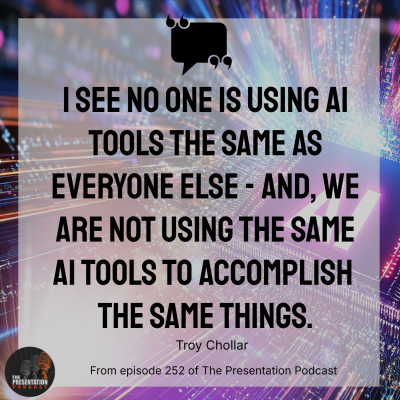
- Troy Chollar uses Copilot Premium for automating daily business tasks (email summarization, document queries) and for design sees the many AI tools and features as a workflow enhancer, not a direct presentation creator.
Resources from this Episode:
- Links
Show Suggestions? Questions for your Hosts?
Email us at: info@thepresentationpodcast.com
New Episodes 1st and 3rd Tuesday Every MonthThanks for joining us!
The post e252 – Midyear Check – Where Do You Use “AI” for Presentations? appeared first on The Presentation Podcast.
Pennsylvania, USA

Guest:
- Mike Armistead, CEO, Pulse Security AI
- Dan Lamorena, Chief Go-To-Market Officer, Pulse Security AI
Topics:
- You've described Pulse as an 'operational management platform for cybersecurity leaders.' What does a security management platform look like in practice?
- How does Pulse bridge this 'translation layer' gap? How do you help a CISO transition from presenting patch rates and MTTD to discussing liability exposure and business capital allocation?
- What actually gets better when someone works with Pulse? Other than, of course, your ARR numbers for your next funding round?
- What is the single most surprising or alarming disconnect you've identified in your CISO and Board Engagement Survey?
- You've introduced the concept of the 'Minimum Viable Security Program (MV(S)P)' and emphasized that 'focus is power.' In an era of non-stop vendor noise, compliance updates, and emerging AI threats, how does Pulse help a CISO ruthlessly prioritize and execute their MV(S)P without getting distracted by the noise?
- Your company is officially 'Pulse Security AI,' so AI is central to your brand. To put on our healthy skeptic hats: how does Pulse pragmatically leverage AI to solve the CISO's actual day-to-day program management problems, rather than just adding to the marketing noise?
Resources:
- Video
- EP114 Minimal Viable Secure Product (MVSP) - Is That a Thing?
- EP208 The Modern CISO: Balancing Risk, Innovation, and Business Strategy (And Where is Cloud?)
- EP201 Every CTO Should Be a CSTO (Or Else!) - Transformation Lessons from The Hoff
- EP204 Beyond PCAST: Phil Venables on the Future of Resilience and Leading Indicators
- "The Bomber Mafia: A Dream, a Temptation, and the Longest Night of the Second World War" by Malcolm Gladwell
Download audio: https://traffic.libsyn.com/secure/cloudsecuritypodcast/EP291_CloudSecurityPodcast_not286.mp3?dest-id=2641814
Pennsylvania, USA
Pennsylvania, USA
Next Page of Stories