At its heart is a free dedicated Student Plan, built to give students the tools of a professional WordPress.com environment while they learn.
Now, students can build real websites in a professional environment that they can keep using after the course ends.
We’ve been quietly piloting this for the past year, and it’s already reached more than 5,000 active students across 27 countries. Now we’re ready to open the doors.
The Student Plan: Free professional WordPress.com tools
Any teacher can apply for their class at wp.com/edu and get, for every student:
A real WordPress.com plan: The same platform millions of businesses run on. No watered-down “student tier,” no restricted plugin access.
A free domain name: Students can register a .blog or .art domain at no cost (our two education-eligible TLDs for this initial phase).
Plugin support: Students can install plugins and extend their sites as part of their coursework.
The first year,completely free: No credit card required.
This isn’t a stripped-down classroom version of WordPress.com. The Student Plan includes plugin support, 6 GB of storage, backups, staging sites, SFTP/SSH, phpMyAdmin, and Studio Sync. Students learn and build with many of the same tools they’ll encounter working with WordPress professionally.
After year one, renewal is just $2/month ($24/year) — a price that keeps the site online and accessible long after the course ends.
That last point matters more than it might sound. This isn’t a throwaway class project that disappears when the semester ends. It’s a real website, on a real domain, that a student owns and can carry into a portfolio, a job application, or their first freelance client — for less than the price of a coffee a month.
And even if a student decides not to renew after the first year, nothing gets deleted. The site simply drops to a free WordPress.com plan on a free subdomain, and every page, post, comment, and media file the student created stays exactly where it is, fully intact and online.
No countdown timer, no “pay or lose your work” ultimatum. The portfolio a student spent a semester building is theirs to keep, whether they renew or not.
Why we built the Student Plan for real classrooms
Teachers tell us the same challenges come up again and again:
Setup takes too long. Creating accounts, configuring sites, troubleshooting access issues — all before the actual coursework even starts. WordPress.com handles the infrastructure so you can focus on teaching.
Students lose their work when the semester ends. Most classroom tools delete everything once the course closes. Motivated students who want to keep building have nowhere to go. With WordPress.com Education, every student owns their site and can keep it live for $2/month — or take their content with them, anytime.
Not every student starts from the same place. Students in under-resourced schools or countries often face barriers that limit what they can build or access online.
This program gives every student the same professional-grade platform, the same custom domain, and the same opportunity to create a real web presence — no matter where they’re starting from.
Preparing students for the real web
Education systems around the world are rethinking what digital literacy means in the age of AI.
We think the answer starts with ownership — not another walled-garden tool that disappears the moment a subscription lapses, but the open web itself.
Students leave with a domain they control, content they own, and practical WordPress skills built on the fundamentals that power over 40% of the internet.
It’s already working: 5,000+ students, 27 countries
At IES Luís Seoane in Spain, marketing teacher Joaquín says giving students access to WordPress.com from day one lets them work in a real environment. More than 20 of the program’s 30 students went on to internships, and employers were “surprised by the level our students bring—not just in SEO and SEM strategy, but in working with WordPress.”
I love the ‘forever’ nature of this. My students can build a real portfolio that they can keep and use after the course ends.
— Javier, Media Studies Teacher, San Telmo Arts School, Spain
Survey results from pilot educators confirm this:
88.9% said WordPress knowledge, combined with the program, improves their students’ employability.
81.5% said it improves their students’ entrepreneurial capacity.
Real skills, on real infrastructure, translating into real outcomes — internships, jobs, and the confidence to launch something of their own.
WordPress.com Education is also a bridge into the wider WordPress community. Beyond our own classroom program, we’re supporting two WordPress.org initiatives with free WordPress.com hosting:
WordPress Credits is a WordPress Foundation program that partners with educational institutions to engage students in open source contributions. We provide free hosting to participants, and 150+ students have benefited so far.
WordPress Campus Connect is a WordPress.org initiative that brings local WordPress communities into higher education institutions through student-led events. WordPress.com has sponsored dozens of these events with free hosting for organizers and attendees.
It’s about moving students from “I have a website” to “I’m part of a global open source community” and doing our part to strengthen the programs the wider WordPress project has already built.
Bring WordPress.com to your classroom
WordPress.com Education is more than free hosting. It’s a program that works alongside educators to prepare students for the future of the open web, helping them retain ownership of their content while strengthening their employability and entrepreneurial skills.
This includes initiatives such as AI-assisted website creation, microcredentials, and professional certifications designed to build practical skills, validate knowledge, and turn ideas into real-world opportunities.
If you’re a teacher, department head, or program coordinator who wants your students building real, lasting websites they can own and grow —apply today.
Somewhere in the past year, supply-chain attacks stopped being isolated incidents. The compromises now reach the tools the industry trusts to defend itself, with Trivy and KICS among this year’s targets. Mark Lechner, Docker’s Chief Information Security Officer, called the latest wave “a permanent shift in the threat landscape”, and nothing since has argued with him. Meanwhile the volume keeps climbing. Over a quarter of production code is now AI-authored, and agents pull in dependencies at machine speed. If you run a platform team or a security program, you already know how this math feels. More code, more images, more dependencies, almost none of it written by your own engineers. And all of it becomes your responsibility the moment it ships.
None of this is news to us. Securing the software supply chain is the problem we’re here to solve, and our commitment to it is absolute. The latest round of updates widens the trusted foundation Docker is building under your supply chain, and tightens how it’s enforced. More of the software inside your images is now built and patched by Docker itself. Security coverage continues after software reaches end of life. Images get tailored to your environment without losing their guarantees. And policy enforcement now reaches every developer machine. The details are below. First, where all of this is headed.
A trusted foundation for the whole supply chain
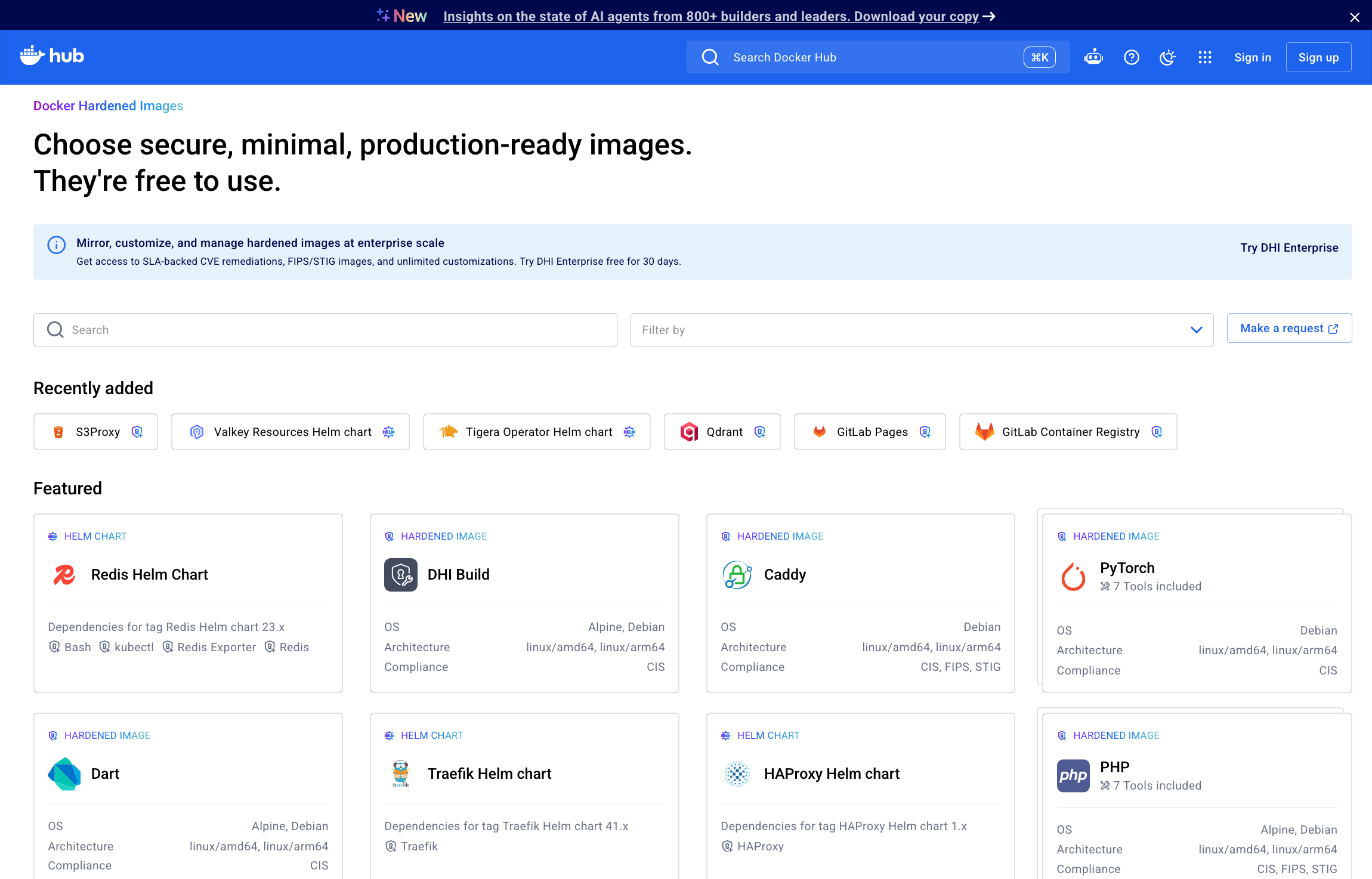
It all starts from one principle, and Docker Hardened Images was built on it. Security that doesn’t get adopted doesn’t secure anything. The entire catalog is free for every developer, because a secure baseline shouldn’t be a premium feature. Every image is compatible with Alpine and Debian, the distributions your teams already run, and Docker builds every one of them itself, from source. Adoption is a FROM-line change, not a migration project. And every image is independently verifiable, with signed SBOMs (software bills of materials) and SLSA Build Level 3 provenance, so your auditors work from evidence instead of vendor claims.
A year in, the numbers make the case. The catalog has grown past 4,000 hardened images, plus MCP servers, Helm charts, and ELS images. It draws more than 3.5 million pulls a week, with over a million builds running regularly to keep all of it patched, and open source projects like n8n run production on DHI. The catalog grows the way it always has, driven by what customers request. But the goal was never just a catalog. The goal is one trusted foundation under your whole software supply chain, where the images you run, the packages inside them, the charts that deploy them, and the tools your agents call all carry the same provenance. Security becomes the default from day one, and it holds, without asking your teams to change how they work.
Docker is leading that charge. Here’s what that looks like in practice.
Built from source, down to every package
The hardening keeps reaching deeper into the stack. Docker Hardened System Packages take hardening below the image, to the packages inside it, across both Alpine and Debian, with every package built from upstream source, patched, and maintained by Docker in the same SLSA Build Level 3 pipeline that builds the images themselves. And the repository behind them is open to more than the catalog. DHI Enterprise customers can point apt or apk directly at Docker’s hardened package repository and bring the same packages into images they build themselves, extending the hardened supply chain beyond the images Docker ships to every image your organization builds.
The coverage keeps widening. What began with Alpine now spans Debian, with Python, the catalog’s most pulled image, among the first to ship fully hardened. The work compounds every week, and the Debian and Alpine package lists are public, so you can watch the catalog harden in real time.
If you’ve spent time chasing base-image CVEs, you know why this matters. System packages are notorious for slow fixes; a patch can sit waiting on the distribution’s next release for months or years. Docker doesn’t wait. We patch at the package level, ahead of upstream when it counts, and the fix lands in every image that uses that package, in one build wave instead of image by image. Entire businesses have been built on delivering community-distribution security updates faster than the community. With DHI, that speed is included.
The guarantees hold up under inspection, too. Packages you add through DHI customization, tailoring an image to your workloads, come from that same hardened repository, not an unverified public mirror, so they are hardened system packages in their own right and the SLA that covers the base image extends through everything you add. And because one vendor stands behind the image, the packages inside it, the CVE investigation, and the patch, your auditors get a single chain of signed provenance instead of a stack of vendor assurances.
Your distribution, meanwhile, stays your distribution. Building a hardened package ecosystem from source is a serious engineering commitment, and Docker made it twice, for Alpine and for Debian, so keeping your house standard never costs you your security posture.
Patch past end of life
Production software has a habit of outliving its maintainers. Migrations wait on budgets, dependencies, and test cycles, and CVEs don’t wait with them. That’s the problem DHI Extended Lifecycle Support (ELS) exists for. It keeps end-of-life software patched, with SBOMs and provenance maintained, for up to five more years.
ELS isn’t limited to a set catalog, either. Docker watches the end-of-life calendar and builds coverage ahead of it, and anything you don’t see, you can request. MinIO is the newest addition. Upstream archived the project in February 2026, yet in the DHI catalog it lives on, patched and hardened, and your migration runs on your schedule instead of upstream’s.
Customize at scale, manage as code
Nobody runs stock images in production. You add CA certificates, agents, and the packages your applications demand. The trouble is that in most of this market, the first change you make is where the vendor’s guarantees end, and everything after it is yours to carry. DHI customization works the other way around. You define what your images need, and Docker manages the full lifecycle of your customized images, rebuilding them through the same hardened pipeline on every upstream patch. The SBOM, the attestations, and the SLA travel with the customization instead of dying at it.
Customization operates at scale, too. Bulk customizations run through the UI, CLI, and API, with YAML configuration and GitHub Actions support, so you can tailor hundreds of repositories in one pass and let the rebuilds take care of themselves. And if your platform runs on Terraform, customization is code as well. The DHI Terraform provider mirrors and customizes hardened images with the same pull requests and reviews as the rest of your infrastructure.
The savings are real infrastructure, not a rounding error. Customers tell us they’ve shut off the CI pipelines that existed only to rebuild images, because Docker rebuilds for them. The blind redeploy cadence goes with those pipelines. You ship an update when a fix actually needs to go out, knowing exactly what changed, instead of rebuilding everything on a schedule and hoping QA catches what moved.
For organizations whose data-residency requirements keep images inside the EU, EU-hosted customizations arrive in September. Your customized images will live in Docker Hub’s EU region with the same SBOMs, attestations, and SLA as everywhere else. Residency stops being the reason your hardening program waits.
Harden beyond base images
The same standard keeps moving up the stack. The catalog now carries fully supported Helm charts, so your Kubernetes deployments start hardened too. And it carries a growing set of hardened MCP servers, because the tools your agents call deserve the same scrutiny as the images they run on.
Govern it all with Docker Scout policy
Scanning tells you what’s wrong. Policy is how you keep it from shipping. And enforcement is where most supply-chain programs quietly fail, because hardened artifacts only protect you when your teams actually use them. Developers move fast and default to what works, and the developer machine is exactly where the current wave of attacks aims.
Docker Scout policy closes that gap. It evaluates flexible, customizable policies from the CLI and inside CI, and it ships with the same policies Docker uses to verify every hardened image in the catalog. The policies are written in Rego, the industry standard, and they’re portable, so the same rules that gate a build in your CI travel with your teams to every developer machine in your organization. Gating at the registry matters, but it stops at the registry; developers can route around it all day. Policy that travels to the machine is how you hold every image you run, and every image your teams build, to the bar Docker holds itself to.
It’s an additive control. It works alongside the scanners you already run, and it’s already in the Docker subscription you have.
The foundation is already in your stack
The supply-chain problem is not going to shrink. More code is coming, agents are becoming contributors, and the patch windows regulators expect keep getting shorter. Point tools won’t carry that weight. A foundation that’s secure by default will, backed by an ecosystem that keeps it that way. That is exactly what Docker’s security portfolio delivers. Hardened content on the distributions you already run, customization that keeps its guarantees, support that outlasts upstream, and policy you control, from one vendor accountable for all of it.
And none of it asks you to adopt something new. It’s all in the Docker you already run. Your builds, tools, and pipelines stay the same. Your CVE count doesn’t.
Browse the DHI catalog and pull your first hardened image today. And if you want the full story, how all of this works together, with your questions answered live, join our live webinar in early September. We’d love to see you there. [webinar registration link]
Apple's changing its rules for data collection consent prompts after Germany's Federal Cartel Office accused Apple of giving the prompts a design that favored its own apps. Apple's App Tracking Transparency prompts reportedly cost social media apps nearly $10 billion when they launched with iOS 14.5, making cross-app tracking of users largely opt in. But as a designated "gatekeeper" under the EU's DMA rules, it is facing additional scrutiny over whether the program provides a level playing field.
The regulator says the prompts steer users away from agreeing to let third-party apps use their data, while encouraging them to give consent for …
An anonymous reader quotes a report from The Register: If you want to record whatever you do on a computer, send those records to OpenAI, use more ChatGPT tokens, and increase your vulnerability to prompt injection, then OpenAI has something for you. It's called Computer History, an opt-in way to record your computer interactions across apps and websites as memories organized on a timeline.
Why would you want to do so? Maybe you found Chronicle, the predecessor of Computer History which compiled similar histories using screenshots, a bit too intrusive but don't mind Computer History's approach -- recording input events and storing them unencrypted locally for 48 hours (or more), with a brief visit to OpenAI's servers. Maybe you're not bothered by the warning OpenAI includes in its documentation: "Computer History files can contain sensitive information. They are not encrypted by Computer History, and other programs running as your macOS user may be able to access them."
Perhaps, having given OpenAI's Codex and GPT Work the run of your computer, you're already sold on the suggestion that storing your computer activity in memory files and arranging those interactions in a timeline will improve ChatGPT responses, surface opportunities for automation, and make it easier to resume prior work. Computer History is, to put it bluntly, a keylogging and event capture system. "Computer History creates an interaction-event stream from allowed apps and websites," OpenAI's documentation explains. "Events can include clicks, typing, keyboard shortcuts, app switches, and context that macOS exposes through its accessibility system. Computer History periodically turns these events into text summaries and local memory files." OpenAI says the feature doesn't capture screen images, microphone input, or system audio. It also doesn't record private-mode browsing.
"Turn it off during communications with other people unless you have their prior express consent," the company advises, perhaps in acknowledgement of legal risk. "Consider pausing it or excluding apps that contain sensitive health, financial, or personal information." ChatGPT and Codex delete locally stored Computer History interaction events after 48 hours, but data sent to OpenAI to generate memories may be retained locally longer and reused in future chats.
 Log in