Log in

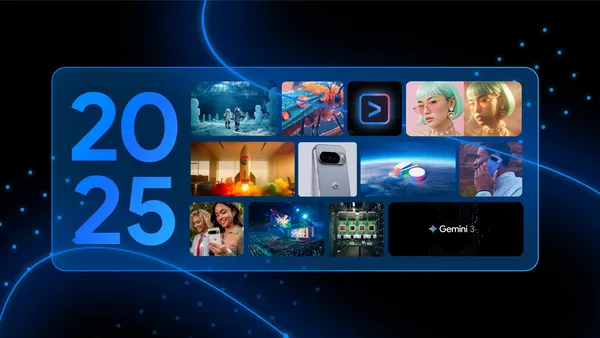
A translucent blue rectangle lies against a black background with blue dots and lines. Within the rectangle is text saying 2025, along with a grid of 12 images, each representing a big Google AI moment from the year.

|
Sr. Content Developer at Microsoft, working remotely in PA, TechBash conference organizer, former Microsoft MVP, Husband, Dad and Geek.
|


Hello, Insiders! I’m Shireen Salma, a Product Manager on the Office Accessibility team. I’m excited to share that rich alt text is automatically generated when you insert an image in Word and PowerPoint on a Copilot+ PC device.
This new experience is designed to make documents and presentations more accessible from the moment images are added, while also prioritizing performance, privacy, and user control.
Copilot+ PCs are equipped with NPUs capable of over 40 TOPS (trillion operations per second), enabling high-quality AI experiences to run directly on the device. By leveraging the NPU, Word and PowerPoint can now generate descriptive, context-specific, and meaningful alt text without relying on the cloud, leading to:
For more information, visit Learn more about Copilot+ PCs and Windows 11 PCs from Surface.
This update is available to Word and PowerPoint for Windows users with a Microsoft 365 subscription and running Version 2512 (Build 19530.20006) or later on a Copilot+ PC.
We’d love to hear your thoughts on how this update is working! Open Accessibility Assistant in Word or PowerPoint, then select Give Feedback to provide feedback. Alternatively, you can select Give feedback on this alt text in the Alt Text pane for specific feedback on alt text.
Learn about the Microsoft 365 Insider program and sign up for the Microsoft 365 Insider newsletter to get the latest information about Insider features in your inbox once a month!
Collaboration has always been one of the hardest parts of my career, and not because people are incapable or unwilling, but more often due to conditions make good collaboration difficult for those challenged with neurodiversity.
Remote work, distributed teams, time zones, conflicting priorities, overloaded calendars, along with , personality mismatches, unconscious bias, power dynamics, and differing communication styles all get in the way. Even when everyone has good intent, meaningful collaboration can feel fragile, exhausting, or inaccessible…especially in deeply technical roles where thinking time matters as much as meeting time.
Over the years, I’ve learned that the biggest barrier to productivity isn’t lack of skill or motivation, but more often it’s friction. And for me, friction often shows up as hesitation on my side that I’ve learned over time.
Should I ask this question? Are they going to roll their eyes at me and think the answer is obvious? Will someone get annoyed? Will I be misunderstood?
This is where generative AI, no matter if it’s ChatGPT, Claude, Perplexity, etc., has become something I didn’t expect but deeply appreciate: my go-to collaborator.
When I’m working through a technical problem and there’s no one available or no one safe to collaborate with, AI gives me a place to think out loud. I can do a brain dump with the best of the neurospicy crowd, but for the neurotypical on the receiving end, it can be overwhelming to be on the other end of a brain akin to 25 McDonald’s drive-thrus spitting out orders all at once. Many AI tools have already recognized the benefit of AI for brain dump solutions, so I wasn’t surprised the need is there.
The thing is, I can ask AI questions without worrying about:
There’s no pushback rooted in ego, no performative expertise, no subtle power struggle, but just clean interaction.
That doesn’t mean AI is always correct, and that’s okay, because honestly, no one is perfect.
One of the most valuable aspects of working with AI is the ability to challenge it freely.
If something feels wrong, incomplete, biased, or poorly reasoned, I can say so directly. I don’t have to soften my language, manage anyone’s feelings, defensive reactions or tip-toe around anyone’s egos.
When challenged, AI does one of three useful things:
That is all. There’s no huffiness, no threat response, and no time wasted navigating interpersonal tension, (and anyone who knows me, KNOWS how much I abhor having my time wasted.) In human collaboration, those moments can derail my entire hyper-focused brain and yet with AI, I can simply move forward at the accelerated pace I’m comfortable at.
I will always admit to my neurospicy-ness. I am aware that I can come off as blunt at times, (most of the time the general public also realizes it’s because I’m a say what I mean and I’m a woman, but that’s the world and how the world views you must be accepted.) This results in me moving quickly, asking questions directly, and I care deeply about accuracy and outcomes. It has sometimes been an issue in my career and not because I’m wrong, but because communication styles don’t always align.
AI doesn’t require me to mask, it doesn’t require me to slow my thinking to protect someone else’s comfort and it doesn’t interpret clarity as aggression.
That alone removes a massive amount of friction for me and makes my day better. Like I said, friction and frustration are the enemy of productivity.
With that said, procrastination and frustration are my personal worst enemies. Not laziness, but hesitation. The pause I get the nerve to ask a question. The mental load of preparing for a reaction, which sometimes is justified and other times, just my brain reacting. The energy spent deciding whether something is “worth” bringing up, is a surprising amount of wasted time for me.
With AI, that hesitation disappears and I simply move approach the problem. I’m never anxious about the interaction or worry about whether I’m taking up someone’s time or asking the “wrong” question. I just engage, iterate, refine, and move forward. That freedom has made me more productive, more assertive, and more consistent in getting real work done, including deep technical problem-solving where momentum matters.
I want to be clear: AI does not replace human collaboration. It doesn’t replace lived experience, creativity, empathy, or shared ownership. The best work still happens with people and I love working with other HUMANS.
All I’m saying here is that AI does fill a critical gap:
It’s a collaborator that’s always present, never threatened, and willing to be challenged. I’m willing to admit out loud, for those of us who thrive on clarity, iteration, and momentum, that matters more than we want to admit in today’s age where bosses are looking for any way to replace human beings.
Generative AI hasn’t made me less collaborative.
It’s made me more productiveand more confident by removing barriers that never needed to exist in the first place.
I’m willing to say that out loud.

With low-cost single board computers and tools for hosting your own cloud server, 2025 had some exciting indie dev boards.
The post Guide to Boards 2026: Indie Boards appeared first on Make: DIY Projects and Ideas for Makers.
PowerShell legend Jeff Hicks joins The PowerShell Podcast to talk about what it really means to live in PowerShell every day. From running his entire workflow in the console to building highly polished terminal tools, Jeff shares how PowerShell can be used far beyond infrastructure management—to organize your day, automate personal tasks, and multiply productivity.
The conversation also dives deep into learning PowerShell long-term, embracing small wins, investing in your own career growth, and making yourself “available to luck.” Jeff introduces his newest project, PSIntro, designed to help absolute beginners get started with PowerShell through interactive, localized tutorials and a welcoming splash experience.
Key Takeaways:
Guest Bio:
Jeff Hicks is a PowerShell author, educator, and community icon with nearly two decades of experience teaching automation to IT professionals. A long-time Microsoft MVP, Jeff has written multiple books, created countless tools and modules, and spoken at conferences around the world. Known for his practical approach and passion for teaching, Jeff continues to shape how people learn, use, and think about PowerShell.
Resource Links: