Sr. Content Developer at Microsoft, working remotely in PA, TechBash conference organizer, former Microsoft MVP, Husband, Dad and Geek.
164072 stories
·
33 followers

Xbox Manager: AI Already Being Used In Xbox Game Development - And Throughout the Game Industry

1 Share
Should generative AI be used for videogame development? Brandon Stirrup, a strategy manager at Xbox, claims Xbox is already using AI, reports Engadget. And he also says that those who say they aren't are merely "pretending." Stirrup deactivated his social media account shortly after (though his posts have been archived elsewhere), igniting conversations about what role generative AI actually has or should have in game development. In some ways, it would be unsurprising to learn that Xbox is using AI to the extent that Stirrup implies. Xbox recently announced the formation of Xbox Labs at least in part as a response to a rising trend of AI-coded game ports; the announcement heavily implied that the new team would use AI as well but didn't say it outright. Xbox owner Microsoft is also a major player in AI development... Developers including Capcom, Square Enix, Sega, Nexon and Activision have all either used AI in their games or pledged to do so. Fortnite developer Epic Games has been particularly up-front about its AI use, and CEO Tim Sweeney has aggressively promoted it on social media... On the other hand, there are large pockets of the game industry vocally opposed to generative AI. Notably, these tend to be smaller, independent studios without shareholders to impress by touting the cost-savings of AI. These studios include Tunic publisher Finji, Stardew Valley developer ConcernedApe and Clickolding developer Strange Scaffold, among many more. Due to the sheer number and variety of game studios, it's impossible to say just how much of the industry actually uses AI at this point, but claims that "everyone" is using it are clearly false. There's a similar divide among players about whether generative AI should be embraced or avoided at all costs. While some simply accept AI as part of games going forward, others have pledged to avoid games that use the technology outright due to its environmental costs, labor issues or pure aesthetic preference. That's led to the popularity of tools like a browser extension that makes Steam's AI disclosures more visible and grassroots efforts by developers to implement labels certifying their games as AI-free... Many players and developers alike justify the use of AI in generating code, even if they're opposed to it in other areas. "Gaming is the only industry slow-walking the transition," Xbox's Stirrup allegedly said, "because users have negative sentiment. Everyone else accepts reality." "Gaming is the only industry pretending to not use AI."

Read more of this story at Slashdot.

Read the whole story
alvinashcraft
32 minutes ago
reply
Pennsylvania, USA
Share this story
Delete

Your Agent Is a New Hire: Models, Harnesses, Skills, and the Secure Runtime

1 Share
Every vendor deck I've sat through lately has some version of the same slide. Four boxes stacked on top of each other, labeled something like Models, Harness, Skills, and Secure Runtime, with a confident arrow pointing toward the word "Agent." The slide usually goes by in about twelve seconds, and everyone nods like it all makes perfect sense. I nodded too, the first few times. I sort of felt like I had to. Then I tried to explain the stack to someone else and realized I couldn't say where...

Read the whole story
alvinashcraft
33 minutes ago
reply
Pennsylvania, USA
Share this story
Delete

Binary and JSON Compression in .NET: Brotli vs. LZ4

1 Share
Choosing the right compression algorithm in .NET involves more than simply selecting the option that produces the smallest payload. Compression speed, decompression time, memory allocations, data format, and network conditions can all affect overall application performance. This article compares Brotli and LZ4 across binary and JSON workloads, explores how their compression levels behave, and explains the trade-offs developers should evaluate before choosing a strategy for performance-critical applications.
Read the whole story
alvinashcraft
36 minutes ago
reply
Pennsylvania, USA
Share this story
Delete

Guidelines and Guardrails Belong in Git

1 Share

One problem with AI is that it’s pretty stupid.

I mean, sure, the current models are wildly useful. But out of the box, they overcomplicate, take undue shortcuts, and compound deficiencies to the moon.

To get from default Claude or ChatGPT to a fast, affordable software loop – one that reliably zaps bugs, backlog items, and security vulnerabilities in your product in particular – it takes some real work. Increasingly, this is the work.

So it’s past time you shared that work with your team.

Guidelines and guardrails

There are two main ways to get coding agents to behave consistently and correctly: steer them with guidelines, and redirect them with guardrails. Basically a union of “Please go do the good thing” with Error: You did the bad thing, try again.

Sometimes, this means fighting models’ non-determinism with better non-determinism. We build and refine Markdown instructions: rules, docs, skills, and the like. Then at PR time, AI reviewers, classifiers, and human review workflows can non-deterministically ask Claude to go back and do better.

But while this informed guidance is helpful, deterministic rules are gold.

Instead of “PLEASE don’t make 10,000 line files”, a lint script can simply reject overlong files before they’re pushed1. When practical, moving Markdown rules, checks, and guides into deterministic code like this is a big level up. Checks in code are harder, better, faster, and stronger than prompting – and a hell of a lot cheaper.

Similarly, if you set up a local environment so models can verify how their code works in practice, you’ll get less speculation and fewer unnecessary fallbacks. Step by step, you can tune your laptop into an instrument for turning brilliant slash idiotic tokens into good PRs.

Before long, you’re building at a pace never before seen, with architectural consistency no less. Your team is in awe of your productivity, and… wait. Your team. Some of them need to understand your work too. And you still need to review their agents’ work– OH GOD WHAT IS THIS PR?!

Sharing is caring

The history of software development is the story of sharing. At first we shared just code, once its author was done with it. Then we grew into sharing commit history, say with SVN. We’ve seen with everything from Makefiles to Jira, Slack, GitHub Actions, Terraform, and more recently code formatters and linters, that engineering improves with more sharing within teams.

But when coding agents debuted, it made little sense to standardize how they were prompted. Hell, they barely worked in the first place. Nobody had any idea what it meant to use them well, and they lent themselves to experimentation and highly custom setups.

But 2024 was a long time ago. We’ve learned a lot about good agent guidance and guardrails, and models have gotten far better at working within them. Yet many teams still work in repos with no shared agent instructions at all.

These teams still use AI. But they rely mostly on models’ instincts, developers’ prompting skills, and reviewers’ discipline to keep agents in check. More industrious team members might email around skills they find helpful. Using their personal setups, a few folks on these teams elicit well-engineered PRs from Claude – but these get jammed up alongside other developers’ mystery slop in the review queue.

Fortunately, this is beginning to change. In-repo AGENTS.md files are now common. Reproducible dev environments, consistent for every team member, are including more lints, sandboxes, MCPs, and other tools that make agent output more consistent. CI, previously the realm of unit tests, often now runs review agents – preferably steered by in-repo instructions. And teams are putting checks, constraints, and formatting rules on PRs, making them easier to review and trust.

As Thoughtworks’ Rahul Garg said on martinfowler.com:

A prompt on an individual machine is a personal productivity hack. The same prompt in the team’s repository is infrastructure.

So from this, we now have two primary goals: work to make our agent instructions more deterministic, and more useful for the whole team.

Before the work:
Setup and guidelines
After the work:
guardrails
Deterministic, shared 😀 Reproducible dev environments and sandboxes, verifiable structures (types, schemas, boundaries), shared tools and hooks Typechecks, lints, tests, builds, CI, blocking hooks, ratchets
Nondeterministic, shared 🙂 AGENTS.md, in-repo docs, shared skills, existing coding patterns, guidance returned from shared tools, shared agent sessions PR review agents, shared classifiers, human reviews
Deterministic, personal 🙂 Personal tools and MCP servers, local permission setups, local env config Personal lints and hooks, local pre-commit
Nondeterministic, personal 🫠 Your prompt, local memories, personal skills, CLAUDE.local.md, a bespoke dev environment only on your laptop Yelling at Claude for being a complete doofus

The job, increasingly, is not producing code. It’s iterating a system – guidelines, guardrails, and tools – that helps your whole team produce good work. And as more teams run coding agents in the cloud, spun out of Slack conversations, Linear tickets, or incident reports, ensuring your agents do the right thing regardless of where they run is even more essential.

While a tuned software factory like this is a boon to generalists working in it, working on the system is where domain experts – perf wizards, database pros, and so on – can really shine.

Instead of just running interference, trying to review and reject problematic PRs in their domain of expertise, they can iterate docs and guardrails that improve how every change, whether kicked off by a PM or a principal engineer, is written. PJ Onori, a design systems veteran at Sanity, responded to an increase in agent-authored code that didn’t comply with their design system not with derision, but with a spec.

Basically, in-repo rules turn expertise into leverage.

Note: The shared rules need to actually be good

In 2024, models’ worst failures were not following instructions. In 2026, we also get agents failing because they do follow instructions, even overly absolute ones. Many a CLAUDE.md (or, now, AGENTS.md) has collected slop like:

IMPORTANT: Every fix must start not with code, but with failing tests. Make the fix, then honestly verify it against the new tests. This is not busywork—it’s discipline.

1000 PRs merged later, agents have gifted you 9999 new unit tests, many of them useless, like a cat delivering its owner dead birds. “Oh great, thanks Codex, tests that enshrine every copy edit we’ve ever made to the UI, how thoughtful of you.” Let this herd of tests run on hundreds of pushes to GitHub every day, and in time your CI bill will gain an entire digit.

While having at least some agent docs and guidelines in-repo has become standard, there is wild variation in how well-maintained these instructions are. Often they get so long, agent harnesses truncate them. Multiple teams I’ve helped have said they still required humans to read and review code changes, but not AGENTS.md instructions. That is, the root set of rules followed by every agent working in their codebase.2

Now, you definitely want to add in-repo guidance and guardrails for your team’s agents, but with great leverage comes great responsibility. If your one doc or tool can now affect thousands of nondeterministic coding runs across a team, it’s worth the effort to iterate and improve it over time. At the minimum, this means building a culture of standards for this shared infrastructure, and people who own its effectiveness.

How do we actually do that?

Closing the loop

While surely you tested your AGENTS.md overhaul personally, how is it working for everyone else? You see that your agents aren’t adding overlong comment blocks anymore, but this new PR from Steve did. Had he pulled your new instructions before he wrote this? And come to think of it, is your new guideline now causing places where explanation really would have been merited to be under-commented?

Of course, to maintain code well that runs on various other machines requires a measure of observability – doubly so when the flows are non-deterministic. What skills are people using? Are they working as intended? Are agents spinning needlessly on missing context or verification capabilities? Are they now yelling at Claude when it was actually your doc or skill that caused the problem?

You need to be able to fix mistakes and waste. Not just on your laptop, but across your team’s agents.

On some teams, this just means having developers send bug reports and traces to team members when a skill or doc goes wrong – if they notice it and know who can fix it. Other teams move to a coding environment like Amp that shares session transcripts and their telemetry by default, or our Powerplant tool that supports session debugging in a harness-agnostic way. Meanwhile, Entire wants to be GitHub but for agents’ session logs as well as code.

Session sharing comes with its own challenges. As with observability tools like Honeycomb and Datadog, giving your coding agents access to log and telemetry data from other agents is both very useful and potentially risky. Shared context needs thoughtful security, privacy, and accountability controls. Meanwhile, social conventions on teams around working with agents in the open are still developing. Some companies are overtly skeptical of transparency with agents, while others are all-in.

No matter how this all plays out, one thing is clear: the early scramble of siloed experimentation is ending. It’s time for teams to be building shared agent infrastructure, guidelines, and guardrails, and to be iterating them together. To be learning not just from some confident poster on X, but from how one another are working with AI.

And to help us all do less yelling at Claude, and more building useful software.

  1. While simply failing lints for a file that exceeds limits is helpful, we can do better. If your lints emit graduated feedback, e.g. flagging when a file is close to, at, or beyond the threshold, then you can give models useful feedback without halting a critical change because a file got pushed one line too long.

    Another useful graduated approach is the ratchet: if you find a bad pattern in your code you don’t want agents copying, a ratchet counts how many instances of the pattern currently exist, and only fails if that number goes up. A helpful tool for longer-term migration projects.

    Also worth noting: deterministic checks can give agents just-in-time remediation guidance. It’s better to put “New endpoints should use the typed Result pattern instead” in the lint error when somebody copies the old pattern, rather than in global AGENTS.md clogging every session’s context. ↩

  2. /claude-api prompt-audit may be helpful if you need to dig out of this hole. ↩

Read the whole story
alvinashcraft
36 minutes ago
reply
Pennsylvania, USA
Share this story
Delete

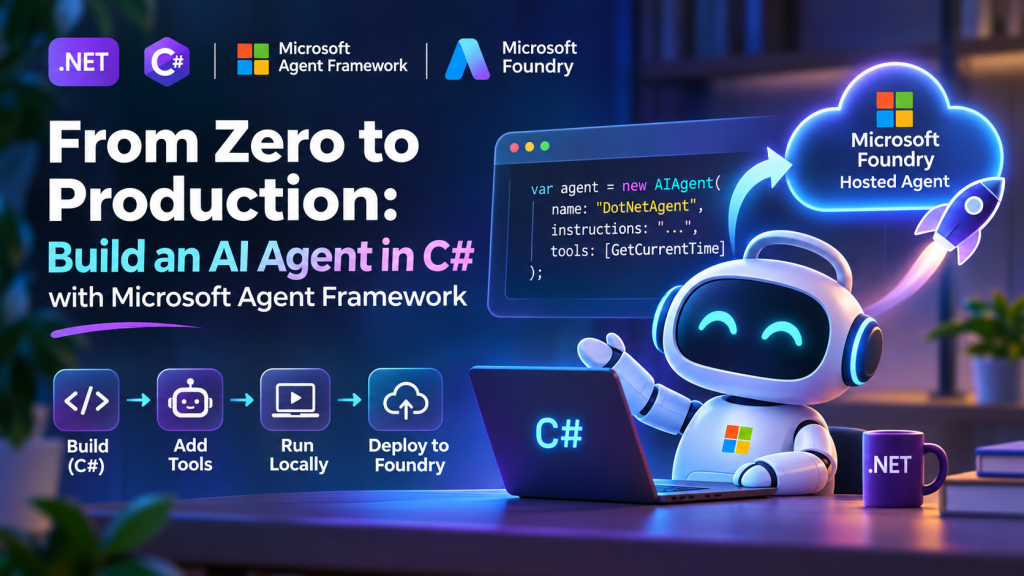
From Zero to Production: Build an AI Agent in C# with Microsoft Agent Framework

1 Share

⚠ This blog post was created with the help of AI tools. Yes, I used a bit of magic from language models to organize my thoughts and automate the boring parts, but the geeky fun and the 🤖 in C# are 100% mine.

Hi!

There is a point when an AI application stops being just a chat application.

You give it tools.

Now it can do something.

And once it can reason about when to use those tools, invoke them, and use the results to continue working, you are getting into AI Agent territory.

The good news for .NET developers is that building one doesn’t require a giant project.

In this post, we’ll build a small AI Agent in C# with Microsoft Agent Framework, give it a tool, run it locally, and then take the same agent to production using Microsoft Foundry Hosted Agents.

The complete collection of samples I use for these experiments is available in Generative AI for Beginners .NET:

https://aka.ms/genainet

Let’s code. 🤖

1. Start with a console app

Nothing fancy here.

dotnet new console -n MyFirstAgent
cd MyFirstAgent

Add the packages:

dotnet add package Microsoft.Agents.AI
dotnet add package Microsoft.Agents.AI.Foundry
dotnet add package Azure.AI.Projects
dotnet add package Azure.Identity

We’ll use a model deployed in Microsoft Foundry.

For local development, authenticate first:

az login

And set two environment variables.

PowerShell:

$env:FOUNDRY_PROJECT_ENDPOINT="https://<resource>.services.ai.azure.com/api/projects/<project>"
$env:AZURE_AI_MODEL_DEPLOYMENT_NAME="gpt-5-mini"

Now we can create our agent.

2. Create the agent

The basic version is surprisingly small.

using Azure.AI.Projects;
using Azure.Identity;
using Microsoft.Agents.AI;

var endpoint = Environment.GetEnvironmentVariable(
    "FOUNDRY_PROJECT_ENDPOINT")
    ?? throw new InvalidOperationException(
        "FOUNDRY_PROJECT_ENDPOINT is not set.");

var model = Environment.GetEnvironmentVariable(
    "AZURE_AI_MODEL_DEPLOYMENT_NAME")
    ?? "gpt-5-mini";

AIAgent agent = new AIProjectClient(
        new Uri(endpoint),
        new DefaultAzureCredential())
    .AsAIAgent(
        model: model,
        name: "DotNetAgent",
        instructions:
            """
            You are a helpful .NET developer assistant.

            Keep answers short and practical.
            Prefer code when possible.
            """);

var response = await agent.RunAsync(
    "Give me one useful .NET performance tip.");

Console.WriteLine(response);

Run it:

dotnet run

And that’s already an Agent Framework agent.

But right now it isn’t doing much more than answering questions.

Let’s fix that.

3. Give the agent a tool

This is where things get more interesting.

Imagine we want the agent to answer questions about the current time in different cities.

Instead of asking the model to guess the time, we’ll give it a real C# function.

using System.ComponentModel;

[Description("Gets the current time for a timezone.")]
static string GetCurrentTime(
    [Description("A timezone ID such as America/Toronto")]
    string timeZone)
{
    var zone = TimeZoneInfo.FindSystemTimeZoneById(timeZone);

    var localTime = TimeZoneInfo.ConvertTime(
        DateTimeOffset.UtcNow,
        zone);

    return localTime.ToString("yyyy-MM-dd HH:mm:ss zzz");
}

Now expose that function to the agent.

The important idea is simple:

User
  ↓
Agent
  ↓
Model decides it needs a tool
  ↓
C# function executes
  ↓
Result goes back to the agent
  ↓
Agent answers the user

Our application is no longer asking the model to know everything.

The model can use our application.

That’s a much more interesting pattern.

Using Agent Framework, the tool becomes part of the agent configuration:

using Microsoft.Extensions.AI;

var tools = new[]
{
    AIFunctionFactory.Create(GetCurrentTime)
};

AIAgent agent = new AIProjectClient(
        new Uri(endpoint),
        new DefaultAzureCredential())
    .AsAIAgent(
        model: model,
        name: "TimeAgent",
        instructions:
            """
            You help users with time and timezone questions.

            Always use the available tool when the user
            asks for the current time.
            """,
        tools: tools);

Now try:

var response = await agent.RunAsync(
    "What time is it right now in Toronto?");

Console.WriteLine(response);

The important part isn’t the timezone example.

The important part is that GetCurrentTime() could be almost anything:

GetCustomer()
CreateSupportTicket()
QueryDatabase()
CheckInventory()
DeployApplication()
ReadSensor()
SendNotification()

They are just C# functions.

And your agent can decide when to use them.

4. This is where agents become useful

This is the mental model I use:

A chatbot generates a response.

An agent can:

understand
   ↓
decide
   ↓
use tools
   ↓
observe the result
   ↓
continue

And once the tools connect to your actual application, agents become much more useful than another chat window.

But we still have one problem.

Our amazing agent currently lives here:

dotnet run

That’s great for a demo.

Not so great for production.

5. Make the agent hostable

This is one of my favorite parts.

We don’t need to rewrite the agent.

Add the Foundry hosting package:

dotnet add package Microsoft.Agents.AI.Foundry.Hosting

Then take the same AIAgent and expose it using the Foundry Responses protocol.

using Microsoft.Agents.AI.Foundry.Hosting;

var builder = WebApplication.CreateBuilder(args);

builder.Services.AddFoundryResponses(agent);

var app = builder.Build();

app.MapFoundryResponses();

app.Run();

That’s the important architectural point:

Your agent logic
      │
      │ stays the same
      ▼
Microsoft Agent Framework
      │
      ▼
Foundry hosting adapter
      │
      ▼
Responses API

You don’t have to create a second version of your agent for production.

Your agent remains an AIAgent.

We are simply giving it a production hosting layer.

6. Test the hosted version locally

Run the application:

dotnet run

The agent exposes a Responses-compatible endpoint.

You can test it with curl:

curl -X POST http://localhost:8088/responses \
  -H "Content-Type: application/json" \
  -d '{"input":"What time is it right now in America/Toronto?"}'

Or from PowerShell:

$body = @{
    input = "What time is it right now in America/Toronto?"
    stream = $false
} | ConvertTo-Json

Invoke-RestMethod `
    -Uri http://localhost:8088/responses `
    -Method Post `
    -Body $body `
    -ContentType "application/json"

Now our C# agent isn’t tied to a console anymore.

It has an API.

Which means another .NET application, a web frontend, a mobile app, or another agent can invoke it.

7. Now let’s send it to production

This is where Microsoft Foundry Hosted Agents comes in.

A Hosted Agent lets us keep our agent implementation in code while Foundry provides the managed runtime around it.

Install the Azure Developer CLI agent extension:

azd ext install azure.ai.agents

Initialize the agent deployment:

azd ai agent init

You can run the hosted-agent environment locally:

azd ai agent run

And invoke it:

azd ai agent invoke --local \
    "What time is it in America/Toronto?"

Once everything looks good:

azd provision
azd deploy

And that’s the jump from:

dotnet run

to:

Production Agent

8. What does Foundry give us?

This is why I like this model.

I want to spend my time writing:

AIAgent agent

and:

GetCustomer()
SearchDocuments()
CreateIssue()
DeployApp()

I don’t want every AI experiment to become another infrastructure project.

With a Foundry Hosted Agent, the platform provides the managed environment around the agent, including things such as:

  • hosted execution
  • agent endpoints
  • identity
  • sessions
  • scaling
  • isolation
  • observability
  • lifecycle management

The important separation looks like this:

┌─────────────────────────────┐
│       Your C# code          │
│                             │
│  Agent                      │
│  Instructions               │
│  Tools                      │
│  Workflows                  │
│  Business Logic             │
└──────────────┬──────────────┘
               │
               ▼
┌─────────────────────────────┐
│ Microsoft Agent Framework   │
└──────────────┬──────────────┘
               │
               ▼
┌─────────────────────────────┐
│ Microsoft Foundry           │
│ Hosted Agent                │
│                             │
│ Runtime                     │
│ Sessions                    │
│ Identity                    │
│ Scaling                     │
│ Observability               │
└─────────────────────────────┘

That’s a pretty clean separation of responsibilities.

9. And we are still just using C#

That’s probably my favorite part of this story.

The tool is C#:

static string GetCurrentTime(string timeZone)

The agent is C#:

AIAgent agent

The hosting configuration is C#:

builder.Services.AddFoundryResponses(agent);

And your existing .NET skills still apply.

Dependency injection.

Configuration.

Logging.

APIs.

Authentication.

Testing.

OpenTelemetry.

Azure.

You don’t need to abandon the .NET ecosystem to build agentic applications.

10. Where I would go next

The timezone agent is intentionally small.

Once this works, replace:

GetCurrentTime()

with something from a real application.

Maybe:

GetOrderStatus()

or:

SearchKnowledgeBase()

or:

CreateGitHubIssue()

or even:

ControlMyRobot()

👀

Then things start getting fun.

From there, Microsoft Agent Framework also gives us patterns for:

  • multiple tools
  • persistent conversations
  • multi-agent workflows
  • MCP
  • streaming
  • background agents
  • human approval
  • agent orchestration

And the production model doesn’t fundamentally change.

Build the behavior in Agent Framework.

Test it locally.

Then give it a home with Foundry Hosted Agents.

Try the complete samples

I maintain these examples as part of Generative AI for Beginners .NET.

Repository:

https://github.com/microsoft/Generative-AI-for-beginners-dotnet

Microsoft Agent Framework samples:

https://github.com/microsoft/Generative-AI-for-beginners-dotnet/tree/main/samples/MAF

The Hosted Agent samples include:

MAF-HostedAgent-01-TimeZone
MAF-HostedAgent-02-MultiAgent

If you’re new to agents, start with the first one.

If you want to see how this pattern evolves into multiple collaborating agents, take a look at the second.

Microsoft Agent Framework documentation:

https://learn.microsoft.com/en-us/agent-framework/

Foundry Hosted Agents documentation:

https://learn.microsoft.com/en-us/azure/foundry/how-to/develop/framework-hosted-agents

And the short version of this entire post?

Build your agent in C#.
Give it tools.
Test it locally.
Host it in Foundry.
Ship it. 🚀

Happy coding!

Greetings

El Bruno

More posts in my blog ElBruno.com.

More info in https://beacons.ai/elbruno


Read the whole story
alvinashcraft
36 minutes ago
reply
Pennsylvania, USA
Share this story
Delete

AWS Capacity Largely Sold Out Through 2027, With On Demand Headroom Reserved

1 Share

Amazon CEO Andy Jassy says AWS’s large committed cloud capacity is largely sold out through 2027, with part of 2028 already allocated, while the company continues to reserve headroom for On Demand, EC2 and Bedrock. Practitioners discussing the remarks report difficulty obtaining On Demand capacity for ordinary EC2 instances, and similar constraints at other providers.

By Steef-Jan Wiggers
Read the whole story
alvinashcraft
37 minutes ago
reply
Pennsylvania, USA
Share this story
Delete
Next Page of Stories