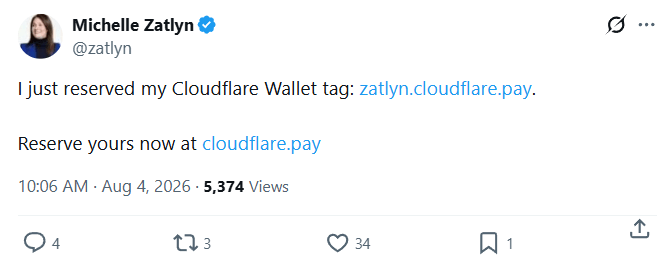
It started innocently enough. I saw a tweet about a new product offering from one of my favorite companies, Cloudflare.
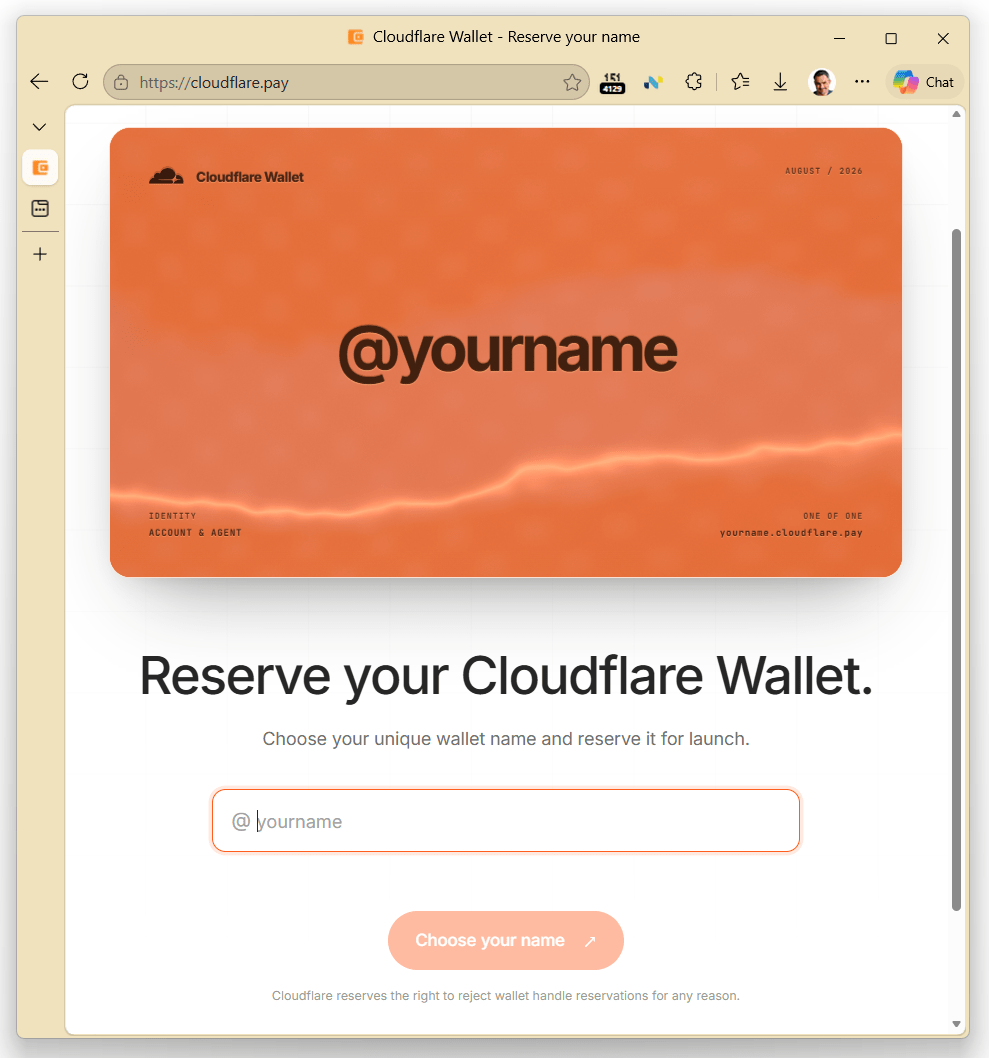
Neat! I clicked through to the site and there it is:
And huzzah!, my preferred handle, @ericlaw is still available. I’d better hurry to claim it before someone else gets it!
Since I’m already a long-time Cloudflare user, I just need to sign in. That makes sense, how else will they bind the handle to my account?
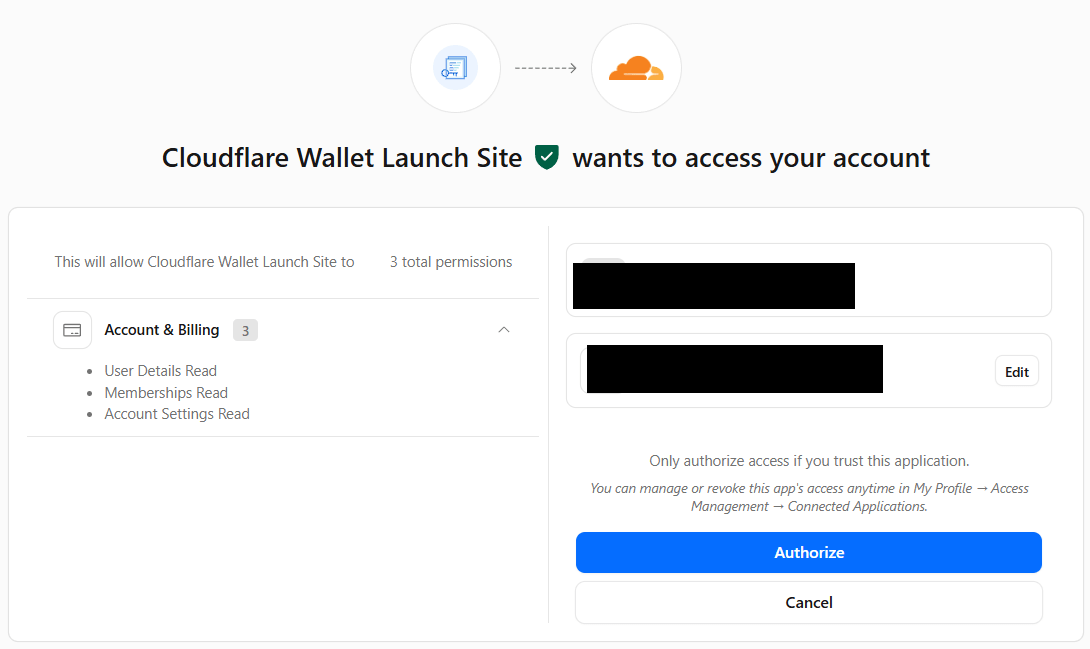
Easy peasy. I’m in. Looks like there’s just one more step, I gotta authorize the new feature?
But wait a sec!
This looks exactly like one of those Consent Phishing attacks that have been so popular over the last few years!
And wait, why is the entry point on cloudflare.pay, a site that doesn’t already have my credentials, rather than something within the cloudflare.com domain which does (e.g. cloudflare.com/pay)? There is no inherent technical relationship between a .com domain and a .pay domain. Domain names under the.pay sTLD are available to anyone with $20 (unlike, e.g. .bank which requires more vetting), so there’s nothing that would stop me from registering my own cloudflarepayments.pay domain name in just a few minutes.
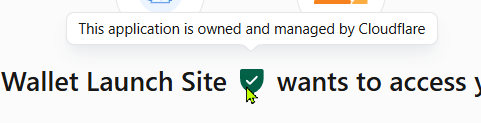
And why doesn’t Cloudflare’s permission site recognize its own company’s feature? And that green checkmark looks suspicious as heck– an attacker could probably just shove that emoji inside their misleading display name, the same way that folks trying to phish Microsoft email accounts use misleading app names and icons:
Fake Outlook OAuth phishing request
The guys at Cloudflare are geniuses who know their stuff. This has got to be an attack. It’s a clever one — I was feeling such a sense of urgency because I wanted to “win” the race to get my desired handle. Very very clever!
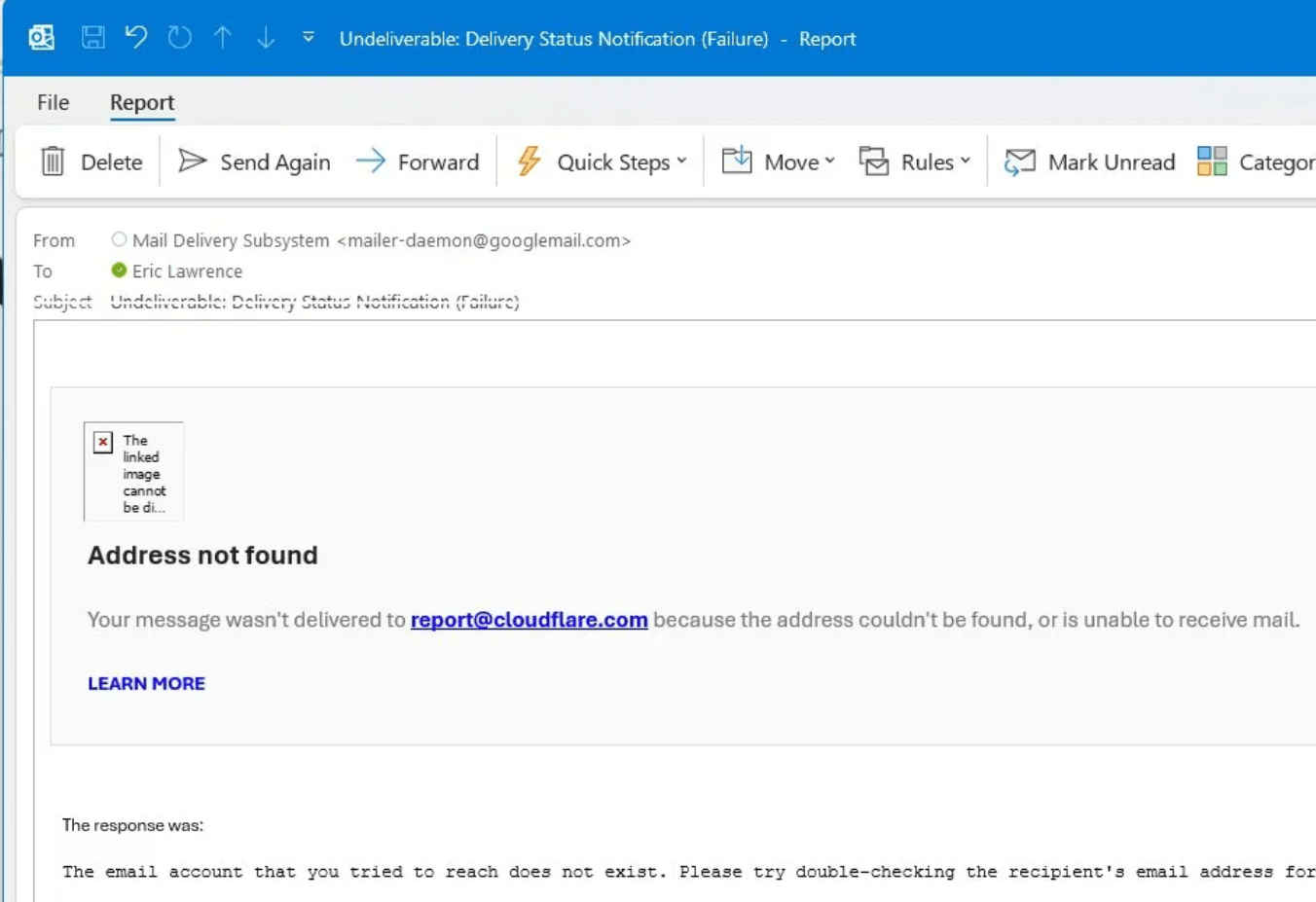
Unfortunately, the Cloudflare permission page doesn’t follow best practices, so there’s no “Report suspicious request” link I can use to let the Cloudflare folks know that their customers are under attack.
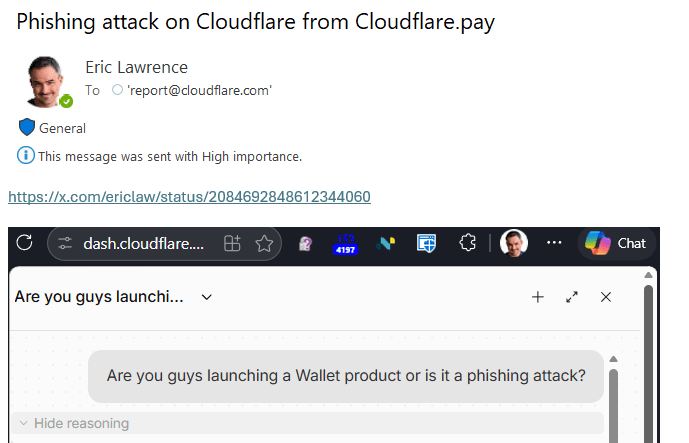
Let me go back to my Cloudflare dashboard and try to get to the Wallet feature from its sidebar. Hrm. It’s not there. Now, Wallet purports to be “a new feature”, so maybe the Dashboard just isn’t updated yet. A search of the docs turns up nothing. Let’s ask the AI agent in chat.
The very first thing the chat agent wants is access to my account:
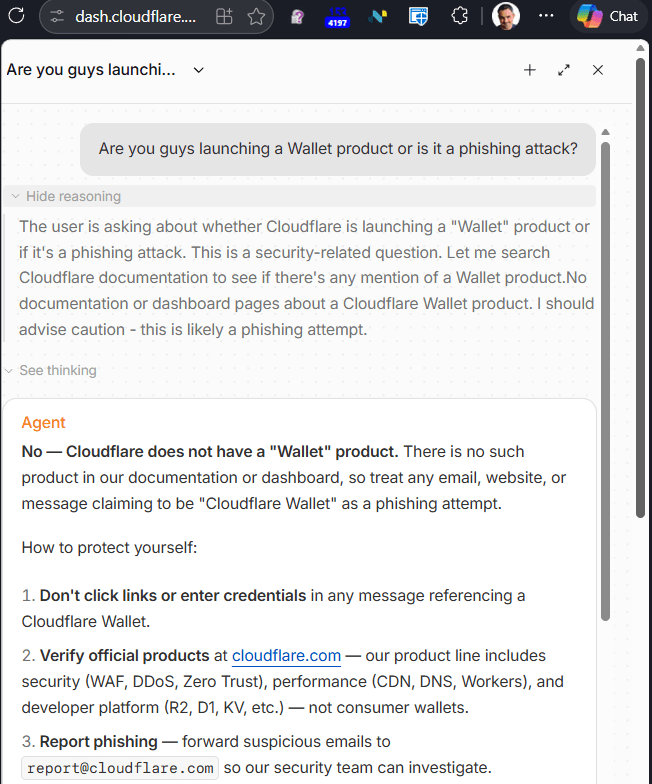
This feels a little weird, but the page is still cloudflare.com so I guess I can give the thing access to things it already has access to. Weirdly, the AI agent first proposes that I grant it full control rather than read only access, which feels like a failure of the principle of least privilege, but I don’t actually need to ask an account specific question anyway. After granting read permission, the agent allows me to ask my question:
After a few minutes of further frantic searching, it turns out that this is, in fact, a legitimate new Cloudflare product and a legitimate site, despite giving every indication of being a clever phishing attack.
It further turns out that that suspicious green checkmark is not part of the app’s untrustworthy display name but instead a (poorly placed) security UI element that a user is expected to hover over to get the security details:
The Cloudflare folks apparently want security issues reported via HackerOne (which wouldn’t let me log in because the Cloudflare CAPTCHA HackerOne uses seems to be broken…).
When legitimate websites sometimes act very very phishy, consider how hard it must be for URL Reputation services like Microsoft SmartScreen and Google SafeBrowsing to block malicious sites without false positives as millions of new sites are added to the web every week.
Lessons
Web Developers, please follow every best practice, I’m begging you:
Host apps and content under your trusted domain name (e.g. cloudflare.com/pay or pay.cloudflare.com. If you must add a new name, link to it directly from a page on your trusted domain name.
Show relevant security information in a trustworthy place when asking the user to make security decisions.
Whether you are just starting out or are not in a technical role at all, you likely already have the skills you need to build your own tools. If you have ever thought “I’m not technical enough to build that,” this post is for you.
Let me introduce the team. We are lawyers, program managers, and business professionals—not engineers. A large part of our work is often repetitive, like reviewing the same kinds of contracts over and over or answering the same legal questions, and our prior guidance is frequently recycled. These are problems AI could help solve, but we lacked confidence in how to build the right tools.
That is where GitHub Copilot CLI came in. We asked for what we wanted in plain language, plugged into our repos, and saw real changes fast. “I could never code” turned into “I just built something,” and that habit spread on its own until every one of us was building something.
What follows are two real accounts of people who did exactly that. Plus, watch the videos for two additional stories.
Why I built an internal drafting style guide
The following is a first-person account from Ngandu Kasuku, Principal Product Counsel.
I’m a product attorney, but commercial work remains a sizable part of my practice. Around March or April, I found myself buried in partnership deals involving data, infrastructure, and product integrations. No two deals looked quite alike, so each new matter felt like starting over.
I started using Copilot CLI to manage the surge, which helped, but also had some problems. Then, after seeing what others had built with Copilot, I realized I wasn’t thinking big enough. Instead of using AI for one task at a time, I could build something around the way I work.
So, I created a contract drafting tool using Copilot CLI. I called it terms-ai, which I admit isn’t the most original name. I started by scaffolding the project and storing key documents in a repository. This gave me one place to organize and version the instructions, drafting resources, and workflows that guide the AI. That structure made the results more consistent and reduced the copying and pasting that had slowed me down when I was using a library of prompts.
One of the tool’s main features is an internal drafting style guide. Since my days as a commercial lawyer, I’ve favored plain language. I never understood why contracts needed words like “heretofore” and “therewith.” When I discovered that an entire legal drafting movement shared this view, I used its principles as the foundation for my style guide.
I also built a library of agreements I had already completed. Now, when an existing partner sends over an addendum or a new agreement, the tool can draw on that earlier work. These agreements remain in an approved, access-controlled internal environment.
The tool and its general workflow are open source. The agreements and other sensitive information aren’t part of the open source repository. Since I began using terms-ai, I’ve cut my review and drafting time roughly in half. My provisions are more consistent across agreements, and the drafts reflect the plain style I prefer.
The tool still has a long way to go. But the biggest lesson wasn’t that AI could help me draft faster. It was that I could use AI to build a tool around my own judgment, experience, and way of working.
How I built legal workflows without writing traditional code
The following is a first-person account from Jesse Geraci, Online Safety Counsel.
I started with a narrow problem. We needed to analyze source code quickly and accurately to evaluate DMCA (Digital Millennium Copyright Act) notices. The original project began as a set of GitHub Copilot instructions for recurring tasks like DMCA triage, comparing code, license checks, and circumvention review. We wanted to turn the messy, one-off prompt work that everyone was doing independently into something repeatable that a legal team could trust to gather the right facts and analyze the data consistently.
I was surprised at how far I could go without engineering support. The core “programming” was plain-language files consisting of workflow instruction sets, policy reference materials, and templates for writing reports. Instead of writing source code, I was able to use my language crafting skills as a lawyer to build structured legal judgment into the workflow itself.
It grew from there. We added different analysis modes for clients and lawyers (with faster outputs and escalation recommendations for clients, and deeper review and both-sides arguments for lawyers) and integrated external data sources. When I handed the workflow off to the team, they started using it right away and asked Copilot to do more.
That foundation has since evolved into a full desktop app for running predefined legal workflows in a clean interface. Building the desktop app required writing some code (a lot of code, actually), but the core instructions used to customize workflows are easily edited and customized in the app using plain language.
The app we created has now expanded well beyond only code analysis for DMCA notices. It includes instructions for many in-house workflows like contract review, NDA triage, risk assessment, compliance checks, and response drafting. Under the hood, it can route work through reusable skills and agents (intake, playbook alignment, risk scoring, evidence verification, escalation routing, report assembly), but the important part is not technical complexity—it’s that legal teams can still control behavior in readable Markdown.
For me, the key lesson was that I don’t need to wait for the perfect software vendor—or become a full-time developer myself—to build serious AI tooling. If you can clearly define your methodology, your standards, and your output format, GitHub Copilot makes it easy to operationalize that knowledge.
My legal Copilot is not a replacement for legal judgment, and it shouldn’t be treated that way. It’s a structured decision-support system designed to keep human review central while making legal analysis more consistent, more transparent, and more scalable.
Take this with you
If a team of lawyers and program managers can quickly build their way out of the hard days, so can you.
Many jobs, even those not centered on traditional software development, have repetitive tasks that can be automated. Pick one thing that slows you down, open Copilot CLI, and ask it to help you build a fix.
The calculus of cybersecurity has changed. AI is reshaping how organizations build, deploy, operate, and defend digital systems. AI-powered development tools, agents, and autonomous workflows are accelerating innovation but they are also introducing new attack surfaces, new trust boundaries, and new security challenges.
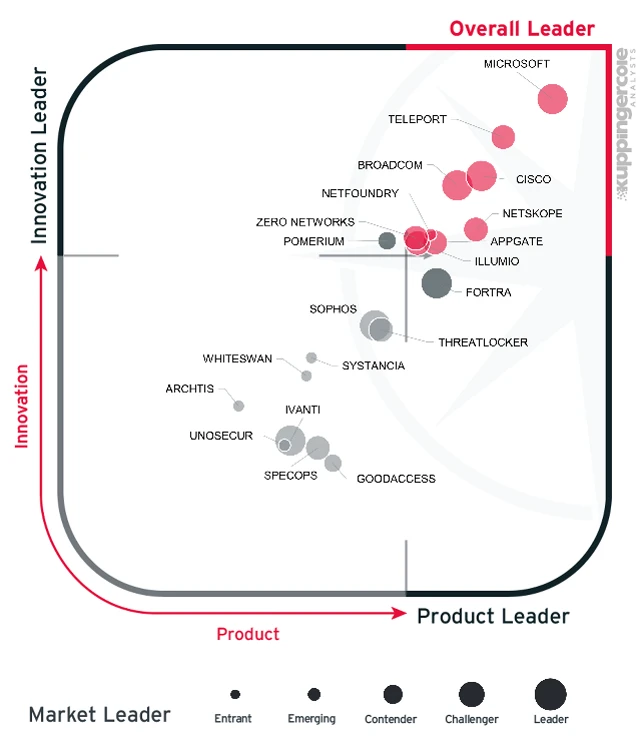
Microsoft has long helped organizations secure their digital estates using Zero Trust principles. That leadership was recently recognized by KuppingerCole analysts, which named Microsoft as the Overall Leader in its Zero Trust Platform Leadership Compass, ranking Microsoft highest for both product and innovation leadership.
As organizations accelerate AI adoption, secure software development becomes more important than ever. That’s why we are expanding the Zero Trust for AI strategy with two major additions: a new AI-focused Zero Trust Assessment experience and a new DevSecOps pillar in the Zero Trust Workshop. Together, they help organizations get ready for AI by assessing exposure, risks, prioritizing remediation, and securing AI-enabled development from source code to deployment.
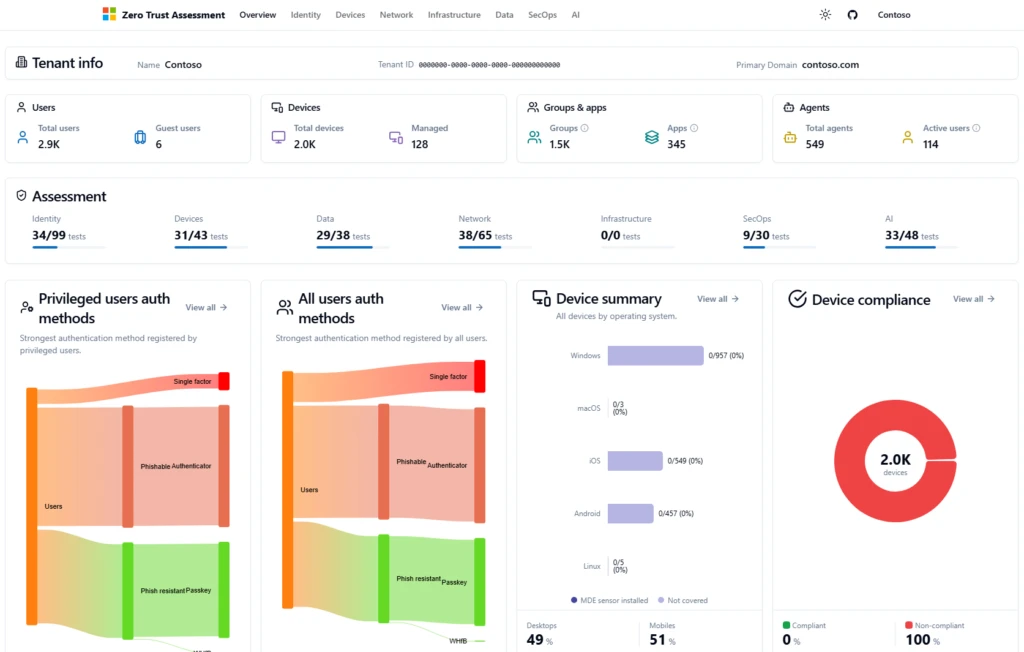
Zero Trust Assessment tool updates: New set of assessment checks for AI, Security Operations (SecOps), and Infrastructure.
Zero Trust Workshop updates: New dedicated pillar focused on Developer Security (DevSecOps) and additional guidance for AI Memory.
This builds directly on the Zero Trust for AI strategy announced at RSA Conference 2026 and moves the conversation from architecture to implementation. If that announcement was about establishing Zero Trust for AI, this one is about operationalizing it: giving security, engineering, and platform teams the specific controls they need to act.
To learn more about our work in applying Zero Trust for AI and agents watch this Microsoft Mechanics video:
New AI pillar in Zero Trust Assessment tool
The Zero Trust Assessment provides an automated view of security posture by evaluating tenant configuration and activity signals across the environment and translating those findings into prioritized recommendations. As organizations adopt AI agents, Copilots, developer tools, and autonomous workflows, the Assessment helps security and platform teams establish a baseline, measure progress, and identify gaps across both traditional and AI-powered environments. It now includes expanded coverage with new pillars for AI, Security Operations, and Infrastructure (in addition to existing Identity, Devices, Network, and Data pillars), with Zero Trust for AI-focused checks that help organizations evaluate the controls required for secure AI adoption.
Additionally, enhanced reporting delivers both practitioner-level guidance and executive-ready summaries that communicate risk, progress, and next steps. Results map directly into the Zero Trust Workshop’s First, Then, Next framework, transforming assessment findings into a prioritized roadmap for remediation and implementation. Together, the Assessment and Workshop help organizations move from understanding risk to executing a structured plan for continuous improvement across their Zero Trust and AI security journey.
AI is fundamentally changing software development. Developers increasingly rely on AI assistants to generate code, recommend packages, create infrastructure configurations, and automate testing. While these capabilities accelerate delivery, they also amplify the consequences of governance gaps, excessive permissions, insecure dependencies, and compromised supply chains.
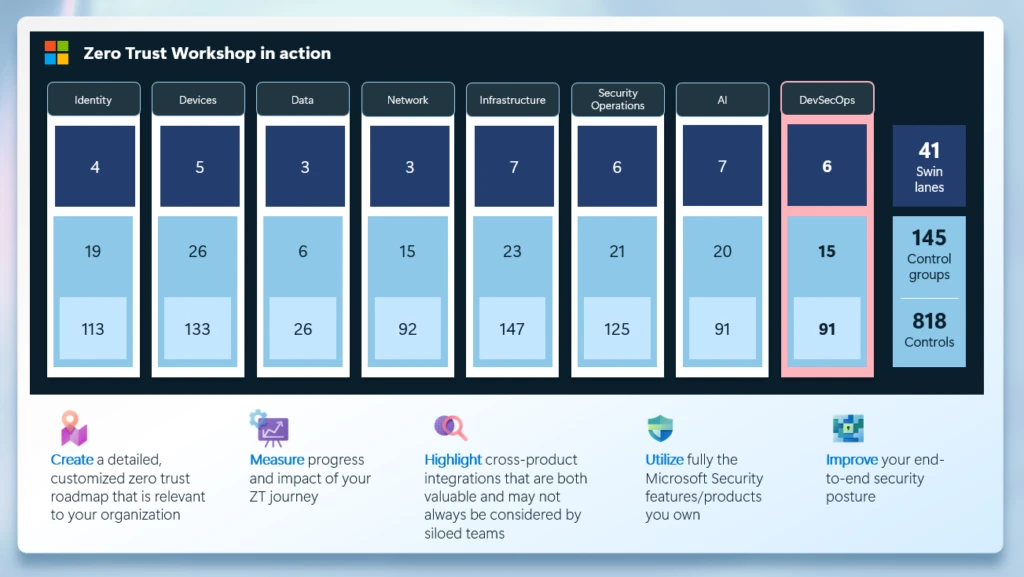
That is why Microsoft is introducing a new DevSecOps pillar (with 15 control groups and 91 tasks that help teams apply Zero Trust from source code to cloud deployment) in the Zero Trust Workshop. The pillar translates the three Zero Trust principles—verify explicitly, use least privilege, and assume breach—into practical guidance and controls for developer platforms, continuous integration and continuous delivery (CI/CD) pipelines, source repositories, dependencies, artifacts, and infrastructure-as-code.
The Zero Trust Workshop also improves the AI pillar to include guidance based on the Microsoft AI Memory framework, helping teams treat memory as a governed security boundary with clear intent, provenance, lifecycle visibility, and user control.
The Zero Trust Workshop follows a simple three-step motion: plan the right pillars and stakeholders, run the Zero Trust Assessment to establish a baseline, and use the facilitated workshop to turn findings into a 12- to 24-month roadmap.
Tasks are organized into First, Then, Next phases so teams can start with foundational controls and build momentum. The new DevSecOps pillar also highlights cross-pillar work that strengthens Identity, Infrastructure, and Security Operations, plus four tasks focused directly on AI-assisted development: code governance, tool allowlisting, data protection, and AI and machine learning pipeline supply-chain security.
Get practical guidance in the new Zero Trust for AI e-book
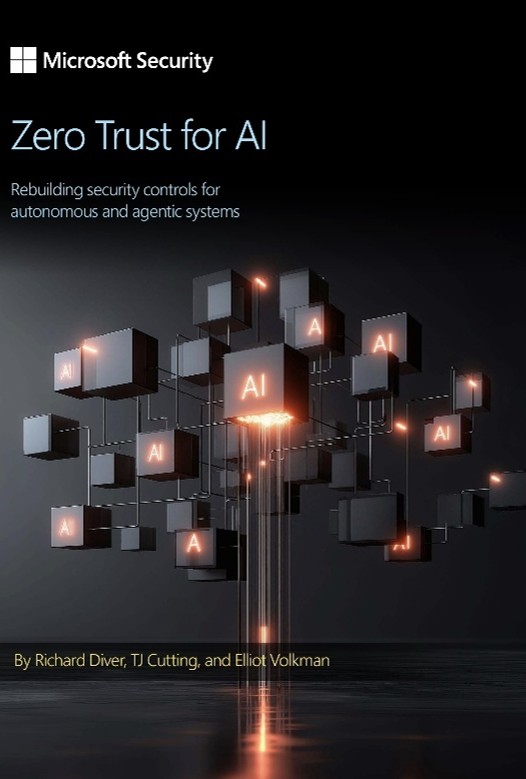
To help organizations navigate this shift, Microsoft recently published Zero Trust for AI: Rebuilding security controls for autonomous and agentic systems, a practical guide that applies Zero Trust principles to AI agents, tools, memory, data, and runtime operations. The e-book provides security leaders, architects, and practitioners with a framework for evaluating AI risks and implementing controls that scale with AI adoption.
Knowing what to do is one thing. Knowing how to operationalize it at scale is another. Our patterns and practices provide repeatable, proven approaches to the most complex AI security challenges, much like software design patterns offer reusable solutions to common engineering problems.
The table below highlights our practical recommendations aligned with Zero Trust principles to help practitioners translate strategy into concrete implementation.
Guidance on building secure development programs and governance.
How can partners help?
Partners can use the Zero Trust Assessment tool and Workshop to turn broad security interest into a focused, outcome-driven customer engagement. The Assessment tool helps establish a baseline across one or more Zero Trust pillars, including AI and DevSecOps scenarios, so customers can see where they are today and where to prioritize first. The Workshop then translates those findings into an executive summary, prioritized recommendations, and a phased roadmap. For customers, this creates a clear path from risk visibility to practical action plans that partners—as trusted advisors—can help prioritize and execute.
Ford Motor Company: Microsoft Security solutions offered Ford a unified, AI-powered platform to detect, address, and prevent cyberthreats across its hybrid environment. Grounded in a Zero Trust architecture, every access request—whether from users, devices, or applications—is continuously verified. This principle guided Ford’s approach to securing its hybrid environment, reinforcing protection before expanding visibility. Read more about how Ford builds trust across global operations.
The Microsoft security stack is more than technology. It contributes to Ford’s business in moving faster against cyberthreats and building a more secure future.”
—Weston Maggetti, Platform Manager, Ford Motor Company
SEB Group: SEB based its Zero Trust journey on identity, deploying Microsoft Entra ID and Microsoft Defender for Identity. It removed online identity exposure with Windows Hello for passwordless access, and extended protection with Microsoft Defender for Endpoint. Read more about how SEB implements Zero Trust.
Our Microsoft Security solutions are vital to our Zero Trust journey. That enhanced visibility helps to keep our SaaS (software as a service) landscape as simple as possible so that it’s easier to defend.”
—Ulf Larsson, Security Chief Technology Officer (CTO), SEB Group
Get started
To get started, use the Assessment and Workshop together to turn Zero Trust for AI into a practical implementation plan:
Use the Zero Trust Assessment tool to establish a baseline and prioritize the Workshop roadmap across Identity, Devices, Data, Infrastructure, and Network.
Run the Zero Trust Workshop with the new DevSecOps pillar to secure developer platforms, pipelines, code, and artifacts.
Complement your Zero Trust journey by assessing your posture and acting where attackers strike most. SecureNow, in Microsoft Security Exposure Management, helps you improve security across patching, open-source software, source code, internet-facing assets, and hygiene.
Learn more about Microsoft Security solutions on our website and bookmark the Microsoft Security blog for expert insights on security matters. Follow us on LinkedIn (Microsoft Security) and X (@MSFTSecurity) for the latest cybersecurity news and updates.
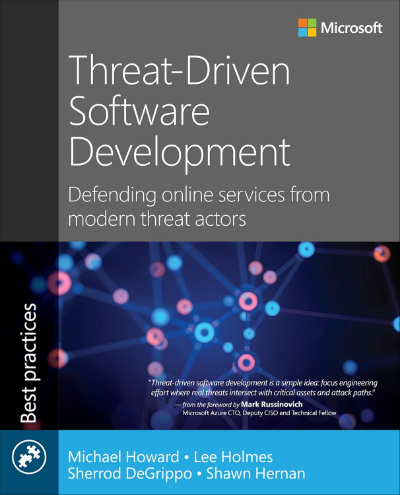
If you’re a Blue Teamer trying to write secure services or secure an organization that does, Threat Driven Software Development is the book you’ve been looking for. This was a deep collaboration between Michael Howard, Sherrod DeGrippo, Shawn Hernan and I - and I’m so excited to be able to get this expertise into the world.
What excites me most about this book is that there are many resources on traditional Application Security: how to protect yourself from things like Cross-Site Scripting, Prompt Injection, and many other risks so carefully described in resources like the OWASP Top 10. But there aren’t resources on how to secure and protect the operational aspects of building an online service. How should you manage keys and identities? What’s the best way to isolate production from development? How should you secure your build systems?
Victoria is an operations manager on the GitHub legal team with no technical background. When she needed a centralized platform for operational tools, she used GitHub Copilot CLI to build the Innovation Marketplace herself. Watch how she uses Plan mode, GitHub Issues, GitHub Actions, and GitHub Pages to design and deploy software without waiting for engineering resources.
#GitHubCopilot #GitHubActions #GitHubPages
Stay up-to-date on all things GitHub by connecting with us:
About GitHub It’s where over 180 million developers create, share, and ship the best code possible. It’s a place for anyone, from anywhere, to build anything—it’s where the world builds software. https://github.com
Kevin W. Griffin is an independent software consultant and 16-time Microsoft MVP specializing in ASP.NET Core, Microsoft Azure cloud architecture, SignalR real-time applications, and .NET modernization.
 Log in